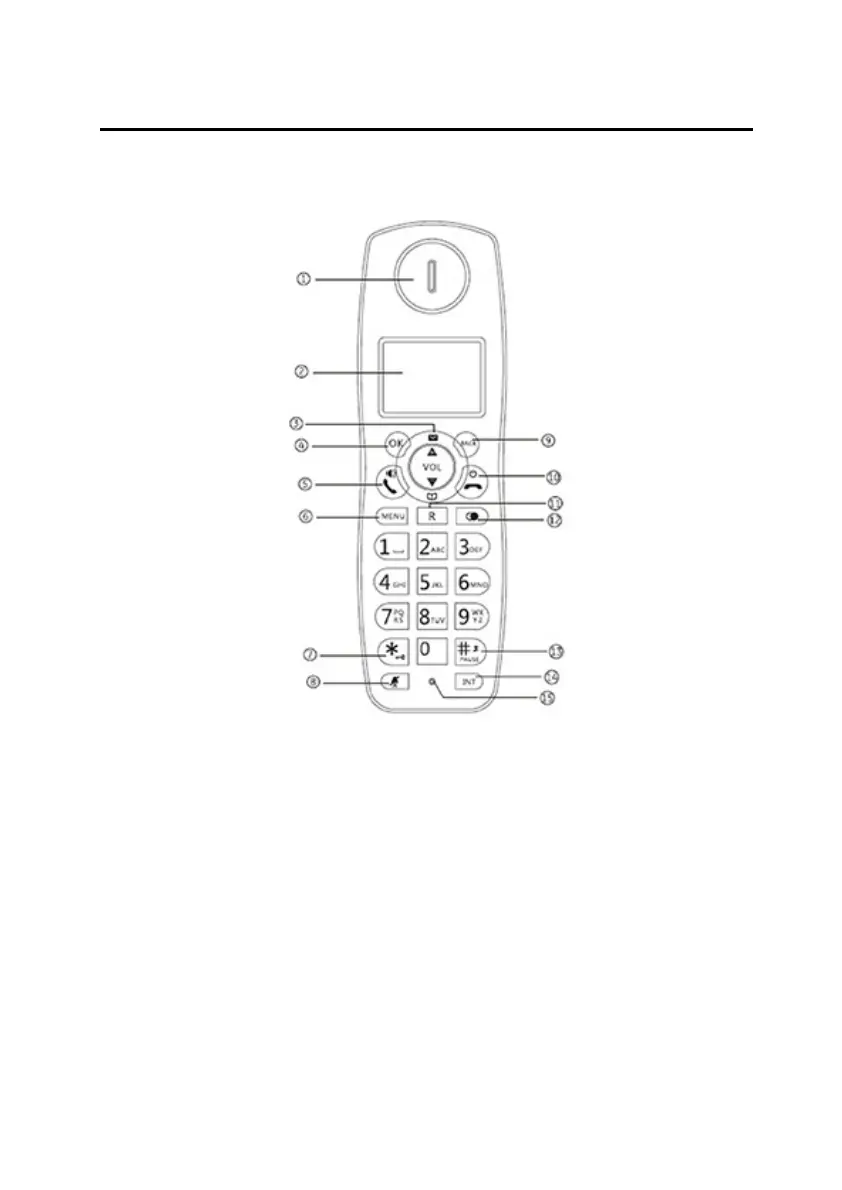
Han
dset Overview
Gigaset A450
Handset Overview
1. Earpiece
2. Displa
y
3.
(Up) / Calls Bu
tton
•
Press to increase volume and view CID.
• (Down) / (Phonebook) Button
•
Press to decrease volume and access Phon
ebook.
4. OK
Bu
tton
•
Press to confirm your operat
ion
5.
(Talk) / (Speakerphone) Butto
n
•
Press to make a call and to
receive a call.
• Press to activate the speakerphone.
6. Menu Button
•
Press to access to main menu.



 To Next Page