22
Gigaset A415A-AS405-A455A / Großbritannien / A31008-M2501-L101-3-7619 / Penguini.fm / 05.10.2016
Template Bali, Version 1, 16.02.2012
Menu overview
Your phone has an extensive range of features. These are offered in the form of menus.
To select a function while the phone is in idle s
tatus, press §Menu§ (open menu), use the control key q to scroll to the
function you require and press
§OK§ to confirm.
To return to idle status:
press and hold the a key.
Not all of the functions described in this user guide are available in all countries.
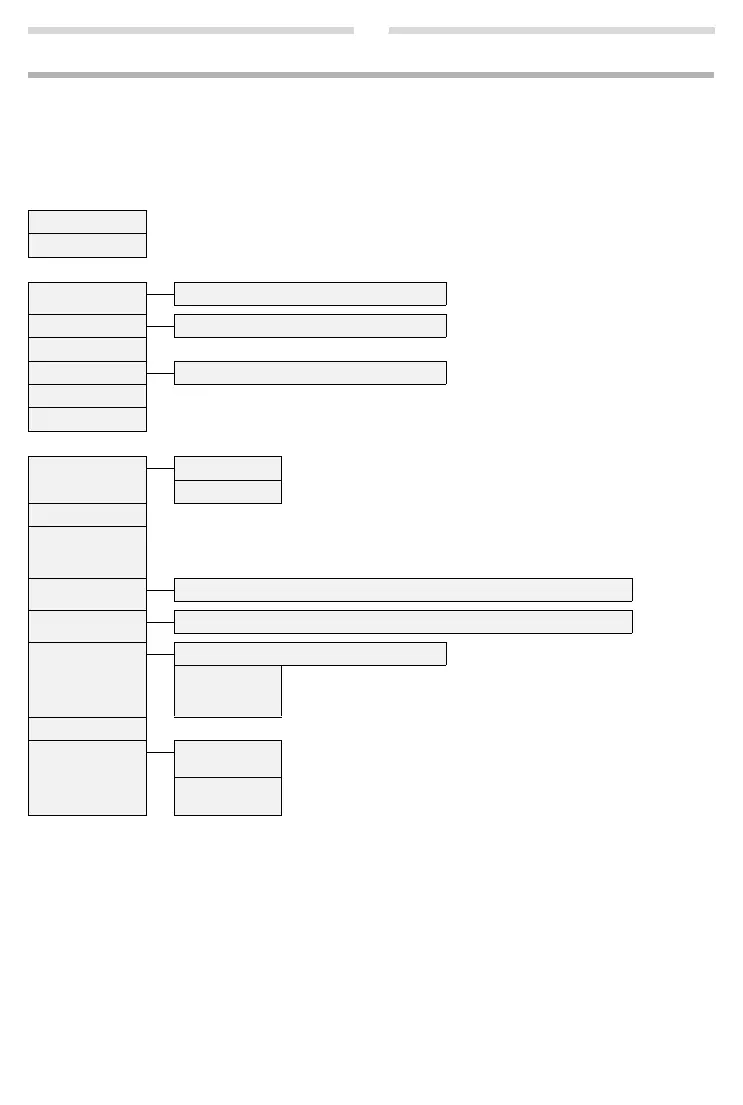
é Alarm Clock
Activation ¢ page 13
Wake-upTime ¢ page 13
è Audio Settings
Handset Volume Earpiece/Speaker ¢ page 13
Handset Sound Low/High ¢ page 13
Ringer Volume ¢ page 13
Ringer Melody External Calls/Internal Calls/Alarm Clock ¢ page 13
Advis.Tones On/off
Battery Low On/off
ê
Answer Machine
Play Messages Net Mailbox * Playing back messages on the network mailbox ¢ page 11.
Answ. Mach. * Playing back messages on the answering machine ¢ page 10.
Answ. Mach. Activating/deactivating the answering machine ¢ page 9.
Call Screening Screening of a message on the handset (handsfree mode) that is being recorded on/off.
Deactivate screening for the actual recording only: press end call key
a
.
(Prerequisite: at least 1 handset with handsfree capability is registered.)
Announcements Rec announce./Play announce./Del announce. ¢ page 9
Message Length Maximum/1 Minute/2 Minutes/3 Minutes
Ring Delay Immediately/10 sec/18 sec/30 sec
Auto If there are no new messages, the answering machine answers a call after
18 seconds. If new messages are present, the answering machine answers
a call after just 10 seconds.
Net Mailbox Enter number of the network mailbox ¢ page 11.
Set Key 1 Net Mailbox Assign key 1 with network mailbox.
(In idle status, press and hold ke
y
1
to dial.)
Answ. Mach. Assign key 1 with answering machine.
(In idle status, press and hold key
1
to dial.)
* number of network mailbox entered


 To Next Page