56
Appendix
Gigaset C590/C595 / USA-CAN engl / A31008-M2101-R301-1-3S19 / appendix.fm / 19.04.2010
Version 4, 16.09.2005
Writing and editing text
The following rules apply when writing text:
u Each key between Q and O is
assigned several letters and characters.
u Control the cursor with uvts
Press and hold u or v to move the
cursor word by word.
u Characters are inserted at the cursor posi-
tion.
u Press the star key
*
to display the
table of special characters. Select the
required character and press the display
key
§Insert§ to insert the character at the
cursor position.
u Press and hold Q to O to insert dig-
its.
u Press Ñ display key to delete the char-
acters to the left of the cursor. Press and
hold to delete the word to the left of the
cursor.
u The first letter of the name of directory
entries is automatically capitalized, fol-
lowed by lower case letters.
Writing names
Press the relevant key several times to enter
letters/characters.
If you press and hold a key, the correspond-
ing digit is inserted.
Standard characters
1) Space
2) Line break
Setting upper/lower case or digits
Press the Pound key # briefly to switch
from "Abc" mode to "123" and from "123" to
"abc" and from "abc" to "Abc" (upper case:
1st letter upper case, all others lower case).
Press the Pound key #before entering
the letter.
You can see in the display whether upper
case, lower case or digits is selected.
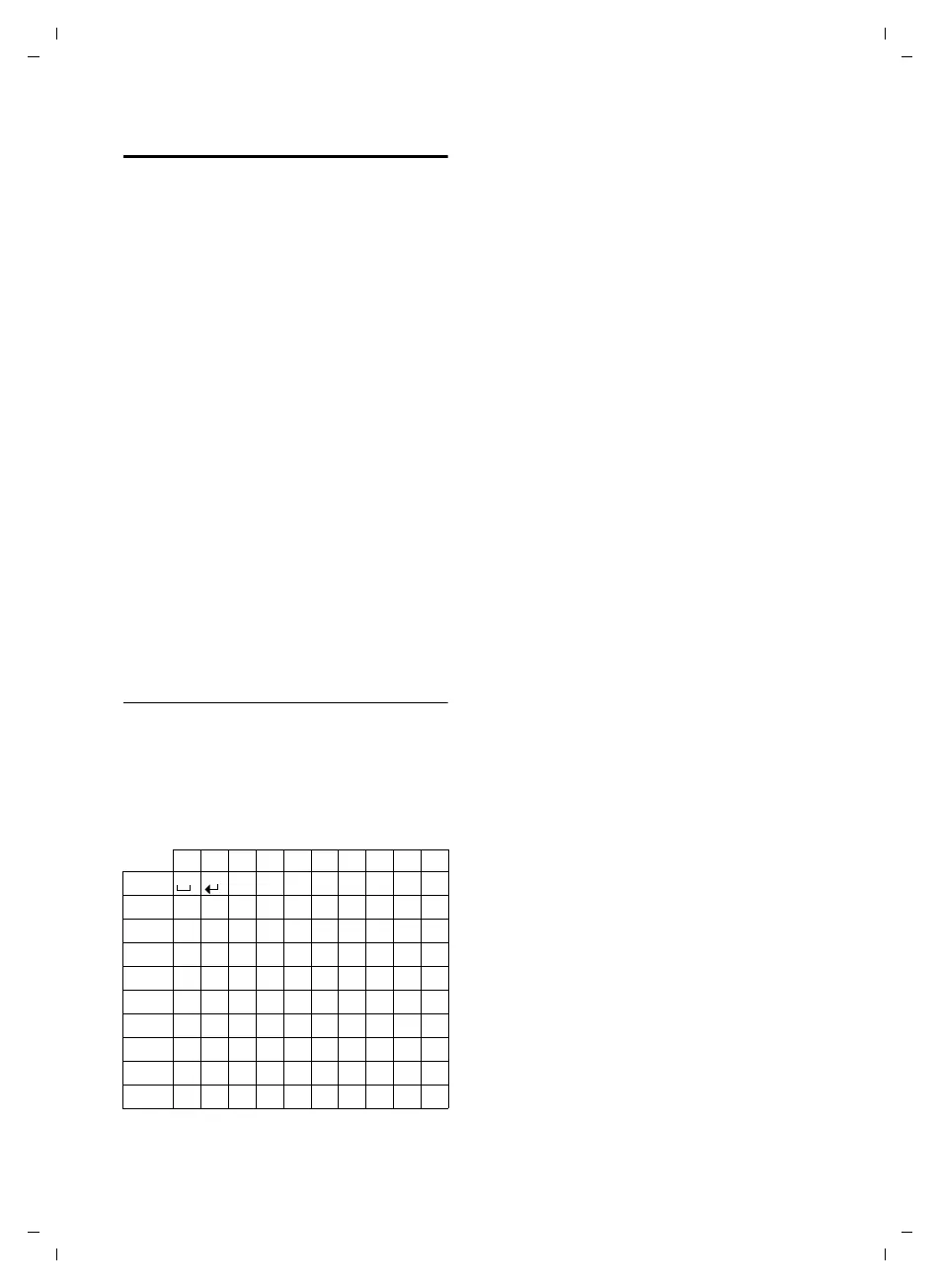
1x 2x 3x 4x 5x 6x 7x 8x 9x 10x
1
2
abc2äáàâãç
3
def3ëéèê
4
gh i4ïíìî
5
jkl5
L
mno6öñóòôõ
M
pqr s7ß
N
tuv8üúùû
O
wxy z 9ÿ ýæøå
Q
.,?!0
1)
2)



 To Next Page