25-422
User’s Guide
Please read this user’s guide before using your new hard drive
enclosure.
3.5” SATA Hard Drive
Enclosure
2 3 4
Package Contents
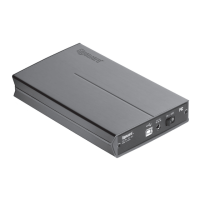
• AluminumEnclosure
• USBCable
• ShortScrews(4)
• ACAdapter
• Stand
• User’sGuide
• QuickStart
Features
• Protectsyourharddrive,andallowsyoutouseaninternal
harddriveexternally.
• CompatiblewithHitachi,WD,SeagateandMaxtor3.5”
SATAHardDrives.
System Requirement
Operating System:
• WindowsVista™
• Windows
®
XP
• Windows2000
• WindowsME
• MacOS10.1xandAbove
Connection:
• USBPort(USB2.0,USB1.1,USB1.0)
3. Insertthefoursuppliedshortscrewsintotheholeson
bothsidesofholdertosecuretheharddriveinplace.
4. Slidetheharddriveholderbackintotheenclosureand
secureitwithtwoblackenclosurescrews.
nNote: If you cannot slide the hard drive holder in fully, turn
over the enclosure and look at the Gigaware logo. Make sure it
is in the top left corner of the enclosure.
1 Install Your Hard Drive
1. Removethetwoblackenclosurescrews,andslidethe
harddriveholderoutoftheenclosure.
2. Connectyourharddrivetothesocketinsidetheharddrive
holder.

 Need help?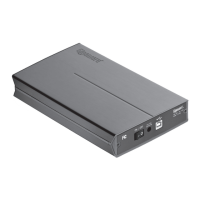

 To Next Page
 General