10
Function Gesture
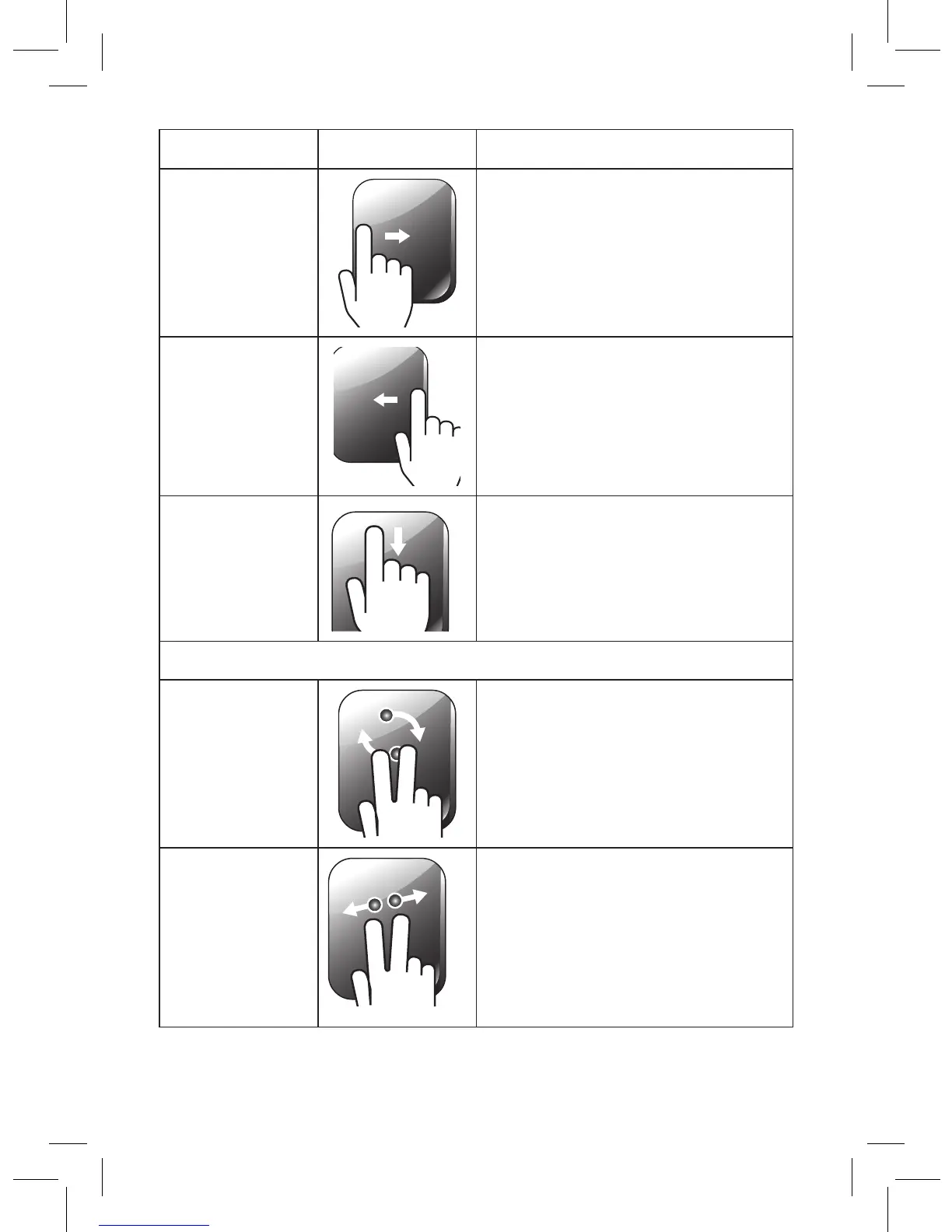
Toggle to
previous app
Place and hold one finger on the
left edge of the touchpad and
then swipe to the right.
Toggle Charm
Bar
Place and hold one finger on the
right edge of the touchpad and
then swipe to the left.
Toggle
Application Bar
(application
dependent)
Place and hold one finger on the
top edge of the touchpad and
then swipe down.
Windows Photo Viewer and Windows Paint
Rotating Move two fingers clockwise or
counterclockwise.
Zoom in and
out
• Zoom In: Place two fingers on
the touchpad and then move
them closer together.
• Zoom Out: Place two fingers
on the touchpad and move
them apart.


 To Next Page