4
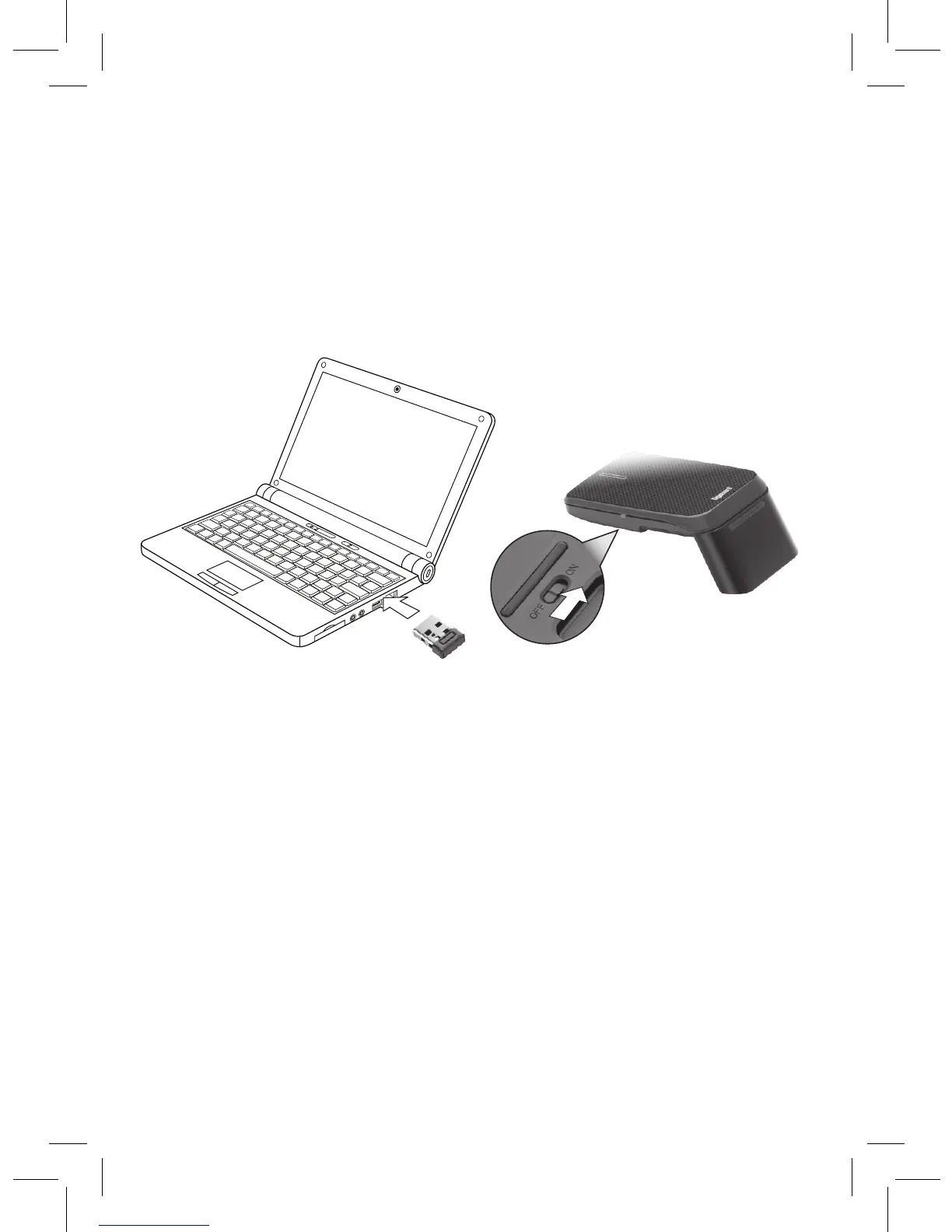
Plug in the Receiver
1. Turn on your computer.
2. Plug the USB receiver dongle into your computer’s USB port.
3. Slide the ON/OFF switch to ON. Your mouse and receiver are
automatically paired.
nNotes:
• If you do not plan to use your mouse for a long time, slide ON/
OFF to OFF to save battery power.
• See your operating system’s online help for additional mouse
configuration information.
Sleep Mode
Your mouse enters sleep mode if left idle for 10 minutes or if you
unplug the receiver from your USB port. To reactivate your mouse,
move the mouse or reconnect the receiver (if unplugged).


 To Next Page