6
Touchpad
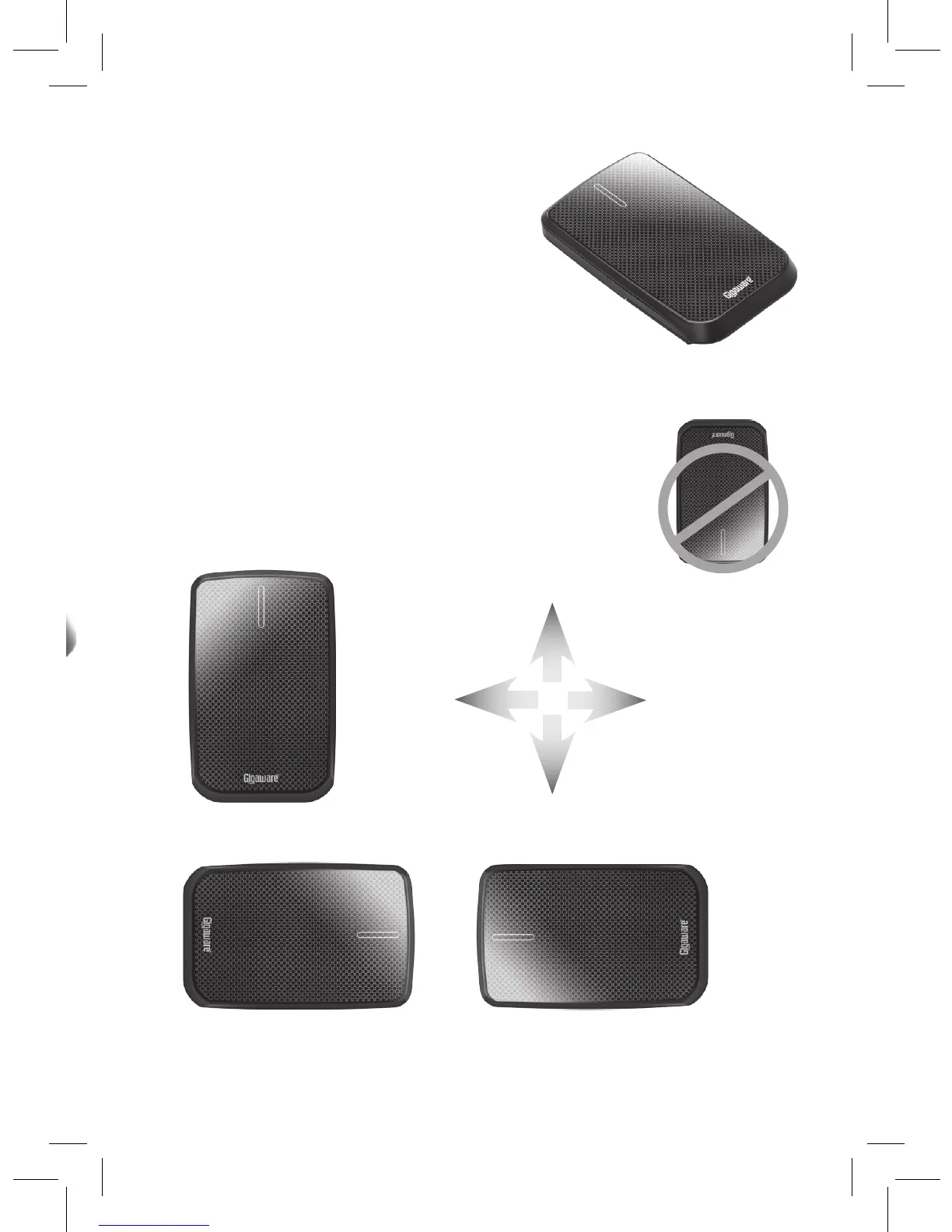
1. Close the stand for touchpad
operations.
2. Set the gravity sensor to its
correct direction by standing the
mouse upright for approximately 3
seconds.
3. Place the mouse horizontally on a
flat surface and test touchpad.
nNote: You can use the touchpad in any one of the
three directions illustrated below. It will not work with
the logo facing away from you.
Left
Right
Up
Down


 To Next Page