
 Need help?
Do you have a question about the GiiNii GD-250 and is the answer not in the manual?
Lists the key capabilities and specifications of the dash cam.
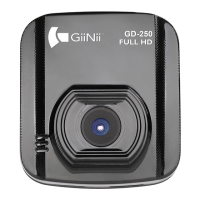
Details included items and provides a product overview with component identification.
Instructions for inserting memory cards and mounting the device in a vehicle.
Covers connecting power, turning on/off, and setting the date/time.
Explains how to record videos in different modes and the recording screen.
Instructions for taking photos, playback, and deleting files.
Guide to accessing the menu, changing options, and understanding the menu tree.
Lists detailed technical data, dimensions, weight, and operating parameters.
 General
| Display Size | 2.5 inches |
|---|---|
| Viewing Angle | 120 degrees |
| Loop Recording | Yes |
| G-Sensor | Yes |
| Night Vision | Yes |
| Video Resolution | 1280x720 |
| Memory Card Type | SD |
| Resolution | 1280x720 pixels |
| Screen Size | 2.5 inches |
| Storage | MicroSD card (up to 32GB) |
| Power Source | Car charger |

 To Next Page