
 Need help?
Do you have a question about the Gilat SkyEdge II-c Gemini and is the answer not in the manual?
Installer must complete Gilat VSAT course and be familiar with the Installation Manual, having configuration parameters ready.
Ground CPE prior to installation, configure before RF cables, and disconnect power before connecting RF cables.
Secure RF cables to a static object 25-60 cm from CPE to prevent connector damage.
Do not block ventilation, avoid extreme environments, and do not place objects on the CPE.
Verify antenna and power cord grounding for protection against surges and static charges, following electrical codes.
Place the CPE on an even, flat surface.
Connect two RF cables to RF-IN and RF-OUT connectors using specified torque.
Use the approved adapter, connect to CPE's 24VDC port, and plug into the AC receptacle.
Use only CAT-5 type cables to connect to the LAN port.
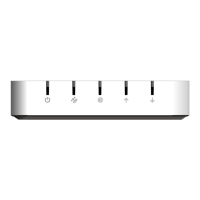
The SkyEdge II-c CPE (Customer Premises Equipment) is a device designed for satellite communication, specifically for Gemini/Capricorn and Gemini S2X systems, and requires an external power adapter for operation. This installation note provides essential guidelines for its proper setup and use.
The SkyEdge II-c CPE serves as an interface for satellite communication, enabling the transmission and reception of data. It connects to both the Low Noise Block (LNB) for receiving inbound data and the Block Upconverter (BUC) for transmitting outbound data. The device requires proper grounding and configuration before the RF cables are connected to ensure safe and optimal performance. It also features a LAN port for network connectivity, utilizing CAT-5 type cables.

 To Next Page
 General