EasyManua.ls Logo

GINGKO BRICK CLICK CLOCK - User Manual

GINGKO BRICK CLICK CLOCK
20 pages
Print Icon
To Next Page IconTo Next Page
Loading...
c
li
c
k
clock
TM
time at the click of your fingers
G
Gingko
DESIGN - QUALITY - TIME
For the Collections of BRICK,SLAB
& WALL CLICK CLOCKS
Question and Answer IconNeed help?

Do you have a question about the GINGKO BRICK CLICK CLOCK and is the answer not in the manual?

Summary

Product Setup and Operation Guide

Charging Instructions

Connect the DC adapter and observe charging light indicator for full charge.

Button and Screen Display Overview

Details on button functions, navigation, and visual modes like Year, Date, Time, and Temperature.

Setting and Configuration Options

Year, Date, Time, and Sound Settings

Step-by-step guide to setting year, date, time, and configuring sound-activated display.

Temperature, Date Format, and Permanent Display

Adjusting temperature/date formats and enabling permanent display mode.

Advanced Functions and Care Information

Alarm and Snooze Functionality

Instructions for setting alarms, using snooze, and controlling alarm functions.

Product Care and Maintenance Guidelines

Advice on keeping the clock dry, using correct adapter, and handling minor damage.
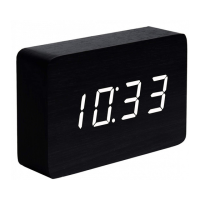
GINGKO BRICK CLICK CLOCK Specifications

General IconGeneral
BrandGINGKO
ModelBRICK CLICK CLOCK
CategoryClock
LanguageEnglish

Related product manuals