SCOOTER OPERATION continued…
Media Center
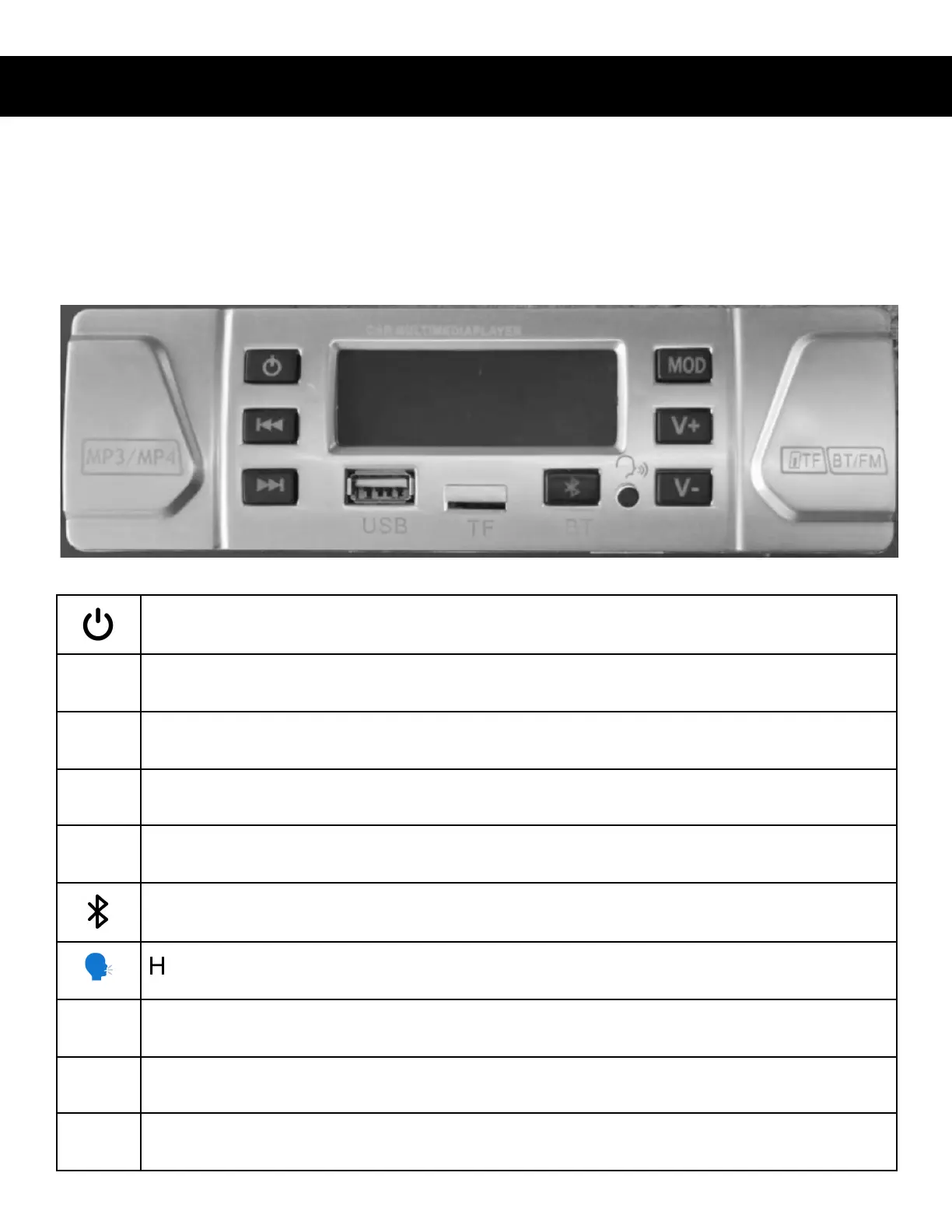
Located on the left lower portion of the console, the media center panel
features all the buttons to operate the scooters sound and video system.
Power Button - Toggle Media Center On/Off
Skip forward, Long Press Seek forward / FM Frequency Up(Radio)
Skip back, Long Press Seek back / FM Frequency Down (Radio)
USB port for media storage device
TF card slot for media storage card
Cycles through modes FM Radio, MP3, MP4, Bluetooth
13


 To Next Page