CONNECT INTO
PC/MAC/CONSOLE
12
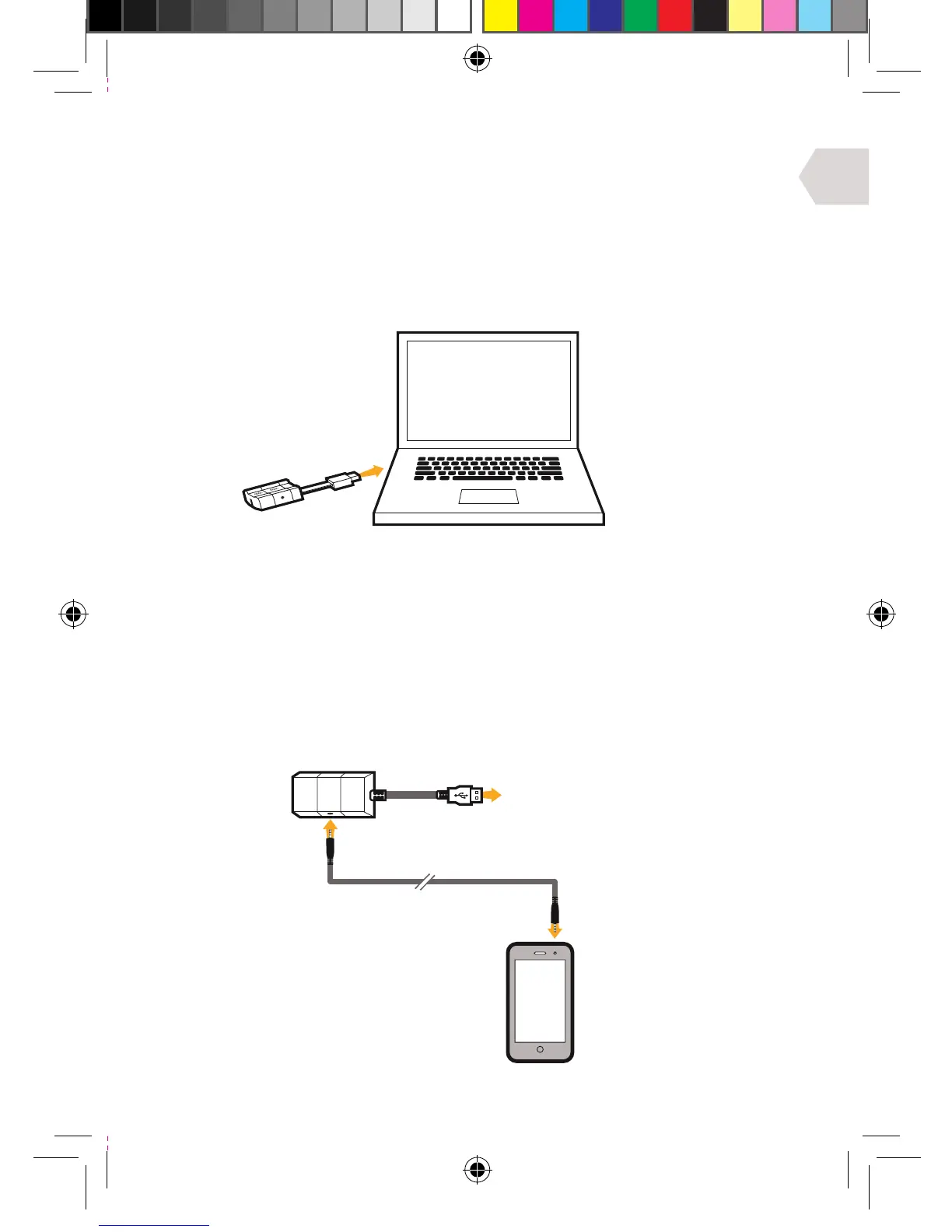
PC, MAC SET UP
1] Plug the USB cable into an available port on your PC or Mac.
2] Your PC (windows 7) will automatically find the Headset
and assign it as the device for audio output.
3] For Mac, open system preferences and go to sound. (You can
then assign the audio output to the Gioteck EX-06 Headset.)
4] Make sure the microphone is not set to mute.
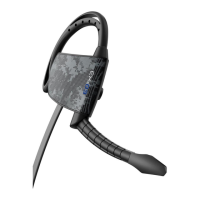
HANDHELD DEVICE SET UP
1] Plug the USB cable on the wireless transmitter into an available port
on your console/computer/or any other device with a USB port.
2] Plug one end of the audio cable into your handheld device (mobile phone,
ipod, mp3 player etc.) and the other end into the wireless transmitter.
3] You can now listen to music on the move!


 To Next Page