8
Step 4
:
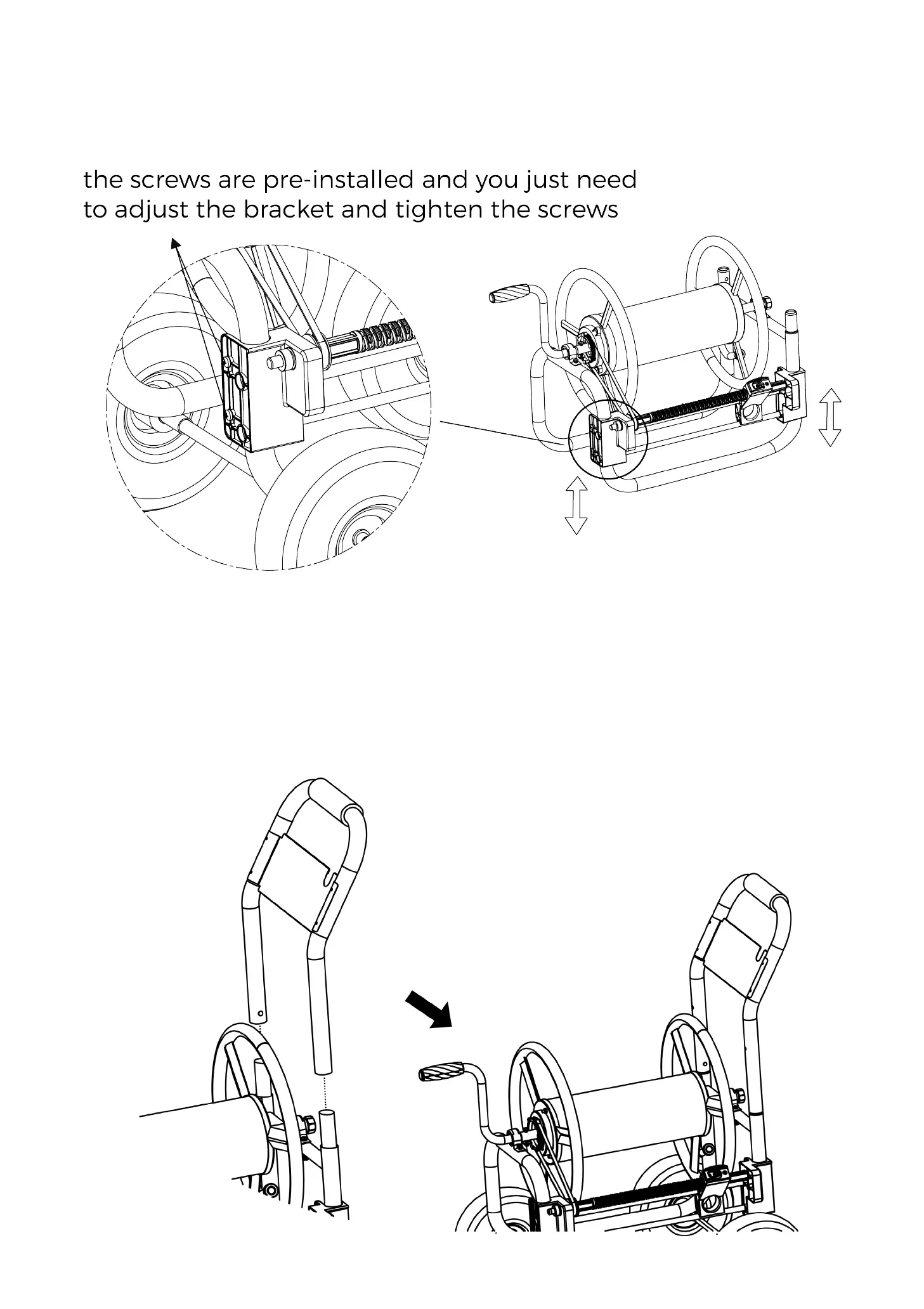
Insert Push Handle into Frame in the direction shown in the photo. When Push
Handle touches the Snap Button, press the Snap Button on both sides of Push
Handle and continue to insert Push Handle until the Snap Button pop up.
Step 3
:
Adjust screw rod brackets on both sides to make sure the belt is connected with
driving gear and drive gear. And tighten the screws on both sides.



 To Next Page