ENUSER’S MANUAL BR15
38
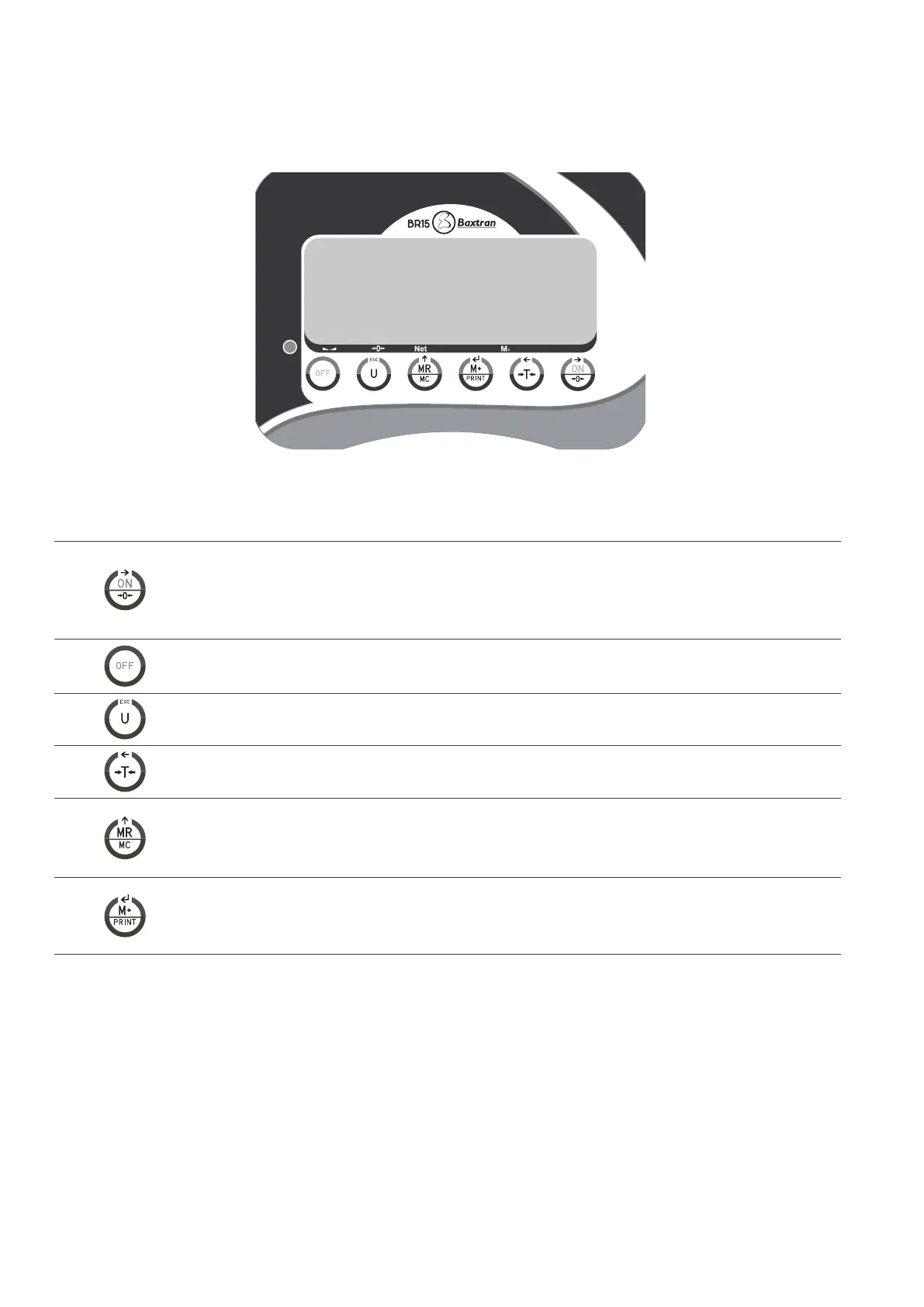
5. KEYBOARD DESCRIPTION
First function; Press this key to switch on the scale.
Second function; to place the reading of the display at “0”, the value of the display must be lower to + 2% of
the maximum capacity.
Third function; to move to the right in the programming mode.
First function; : press and hold the key during 3 seconds to switch of the indicator.
First function; to choose the unit of weight.
Second function; to exit from the programming mode.
First fonction; : to remove (tare) the weight of a container.
Second fonction; to move to the left.
First fonction; to view the number of accumulations and the accumulated weight.(TOTALIZING)
Second fonction; To remove the memory of the accumulations.
Third fonction; To increase the values inside the programming.
First fonction; To accumulate in memory the value of the weight that appears in the screen.
Second fonction; manual transmission of data through RS-232 port to a PC or printer.
Third fonction; confirmation key in the programming mode.



 To Next Page