This GIT-EZDS Aftermarket Distributorship Manual contains important information on the sensitive business practice and confident
ial business facts and figures that must be kept confidential and protected from the third party’s unauthorized approach. Du
plication, photo copy,
reproduction or translation to the other language is strictly prohibited without GIT and EZDS’ prior written consent, and any
violation of such prohibition will entitle GIT or EZDS to terminate the distributorship contract.
TROUBLE SHOOTING GUIDE
GIT-EZDS
AFTERMARKET DISTRIBUTORSHIP MANUAL
GIT-EZDS AFTERMARKET DISTRIBUTORSHIP MANUAL
Feb 19
th
, 2019
FIRST EDITION
20
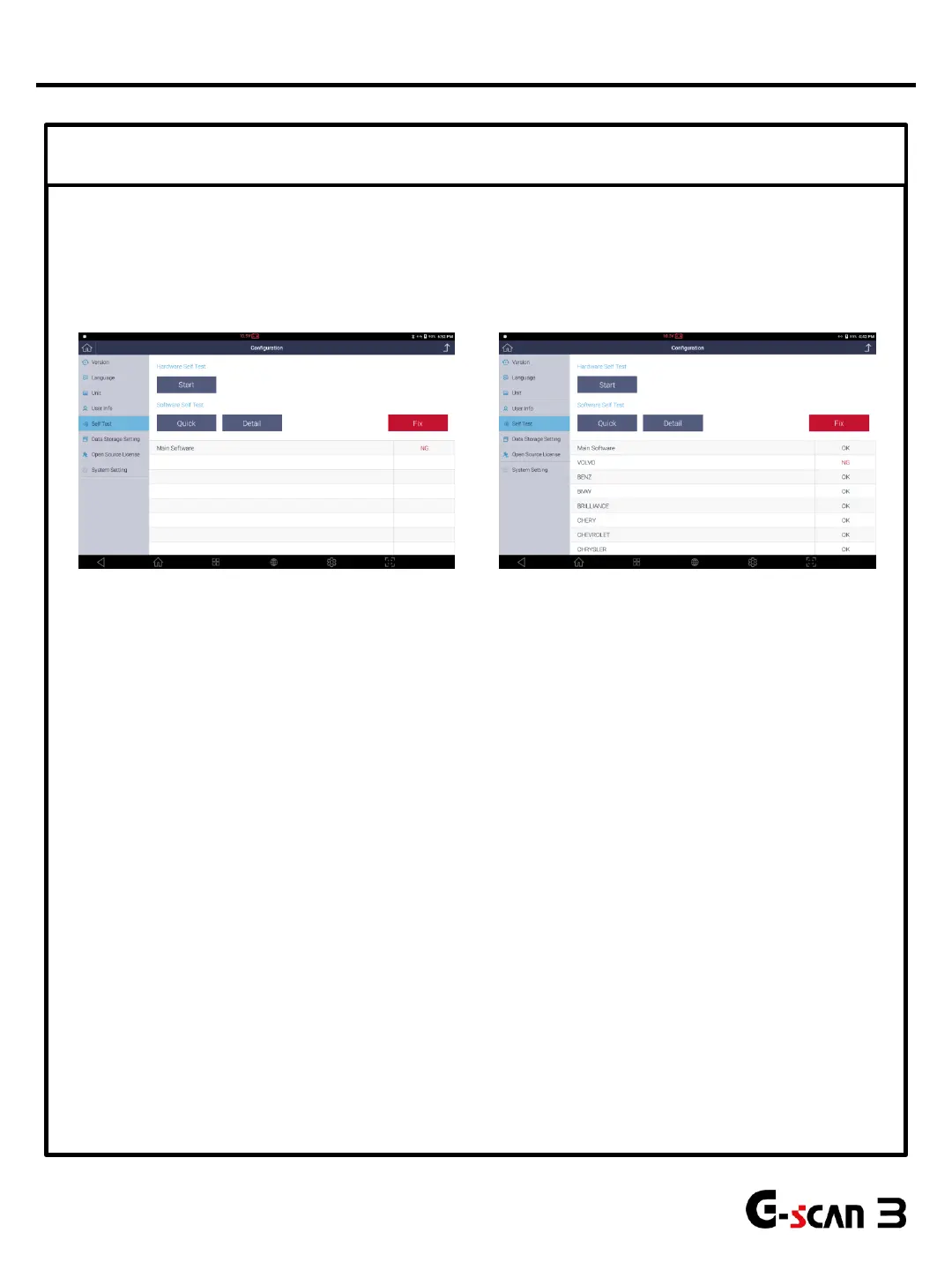
④ Software Self Test
Unlike predecessors, two types of software self test is available in G-scan3.
• Quick self- test checks main software to find any corrupted data.
• Detail self-test checks all software including main software to find any corrupted data.
1. Select Quick or Detail button.
2. Press Start button to begin the test.
3. If NG is displayed, press red colored Fix button.
4. Pressing Fix button will move to software update menu.
5. The software that contains corrupted data is automatically selected.
6. Begin software update.
7. Perform software self test again to see if the problem persists.
If communication is OK after software update, it was the software causing communication
problem.
If the communication problem persists, go to step 5.
Quick Self-Test Detail Self-Test
Communication Problems


 To Next Page