This GIT-EZDS Aftermarket Distributorship Manual contains important information on the sensitive business practice and confident
ial business facts and figures that must be kept confidential and protected from the third party’s unauthorized approach. Du
plication, photo copy,
reproduction or translation to the other language is strictly prohibited without GIT and EZDS’ prior written consent, and any
violation of such prohibition will entitle GIT or EZDS to terminate the distributorship contract.
TROUBLE SHOOTING GUIDE
GIT-EZDS
AFTERMARKET DISTRIBUTORSHIP MANUAL
GIT-EZDS AFTERMARKET DISTRIBUTORSHIP MANUAL
Feb 19
th
, 2019
FIRST EDITION
27
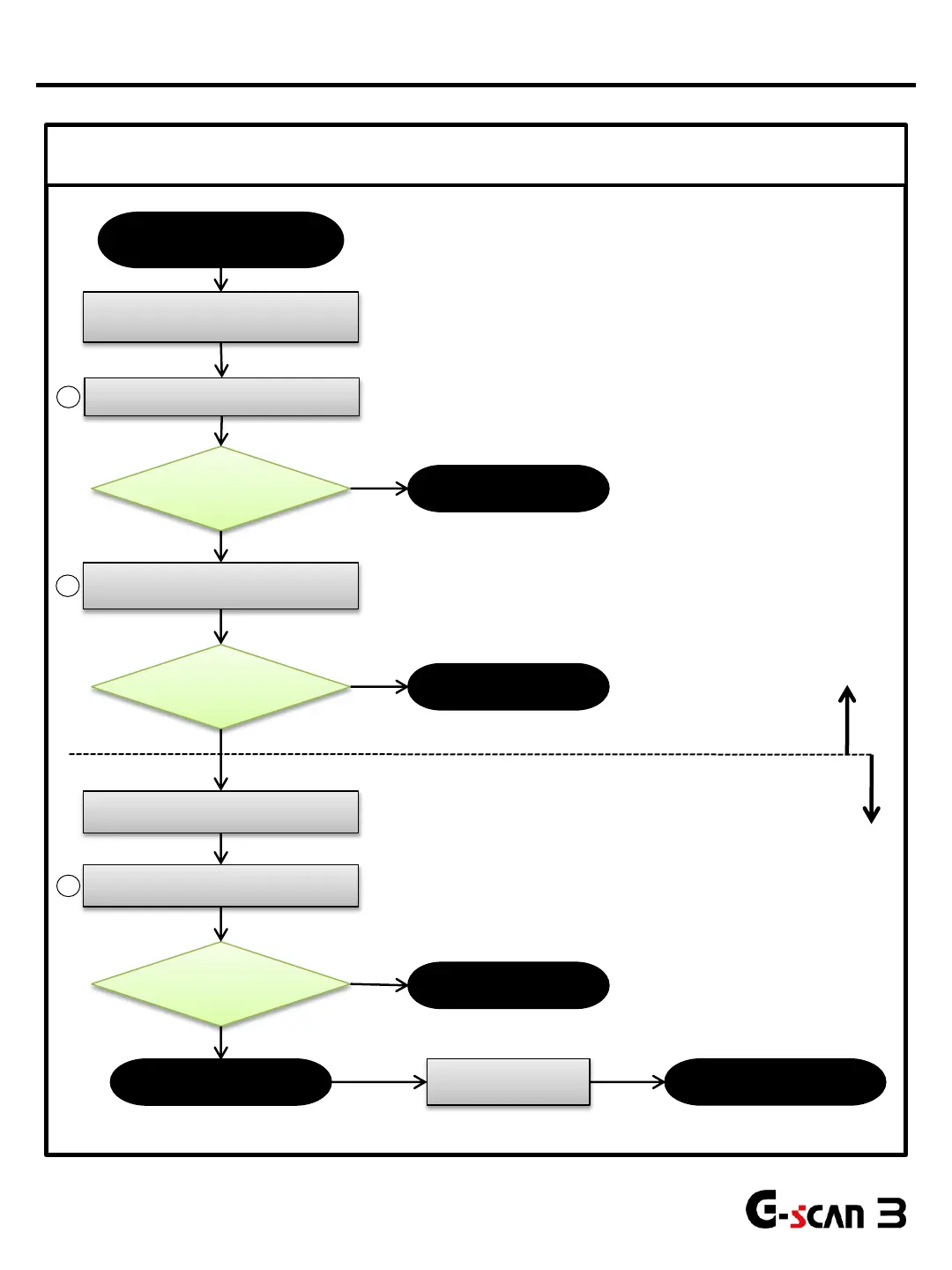
Checked by the customer
Checked by the distributor
Touch Screen
Not Responding or Delayed response
Remove
protection film.
Problem Fixed?
Touch Screen Problem
G-scan3 is normal
Perform Android Recovery
(Forced O/S update)
Check if the protection film is
attached on the LCD screen
Yes
No
Problem Fixed?
G-scan3 is normal
Remove front case
(Refer to Part Replacement Manual)
Check for firm connection in 2 LCD
module Harnesses.
Problem Fixed?
Replace the LCD
module
No
No
Yes
Yes
Replace the main
board
Replace the F-PCB
cable
Problem Fixed?
1
2
3
LCD Problems


 To Next Page