This GIT-EZDS Aftermarket Distributorship Manual contains important information on the sensitive business practice and confident
ial business facts and figures that must be kept confidential and protected from the third party’s unauthorized approach. Du
plication, photo copy,
reproduction or translation to the other language is strictly prohibited without GIT and EZDS’ prior written consent, and any
violation of such prohibition will entitle GIT or EZDS to terminate the distributorship contract.
TROUBLE SHOOTING GUIDE
GIT-EZDS
AFTERMARKET DISTRIBUTORSHIP MANUAL
GIT-EZDS AFTERMARKET DISTRIBUTORSHIP MANUAL
Feb 19
th
, 2019
FIRST EDITION
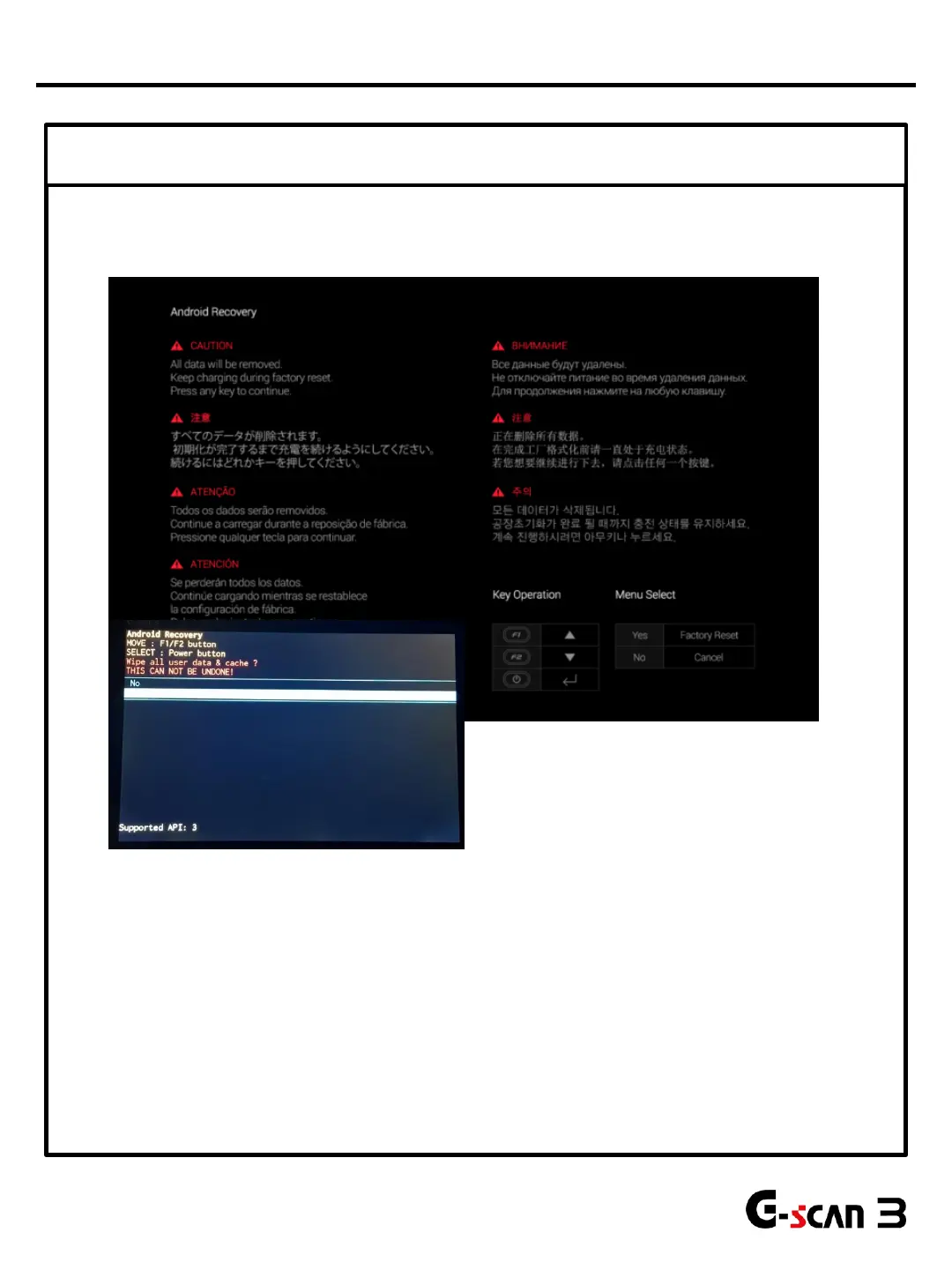
② Android Recovery (Forced O/S update)
29
* Android Recovery will re-install O/S and remove all saved data.
* Make sure to move saved files to separate storage device before performing this function.
1. Make sure to connect external power supply.
2. Press F1 & F2 button to move up or down and perform Android Recovery function.
3. After Android Recovery is completed, re-enter User Info. in configuration and reset.
4. If response is still delayed, turn G-scan3 on by pressing POWER button while holding down F1
button. All data will be removed, keep charging during Factory reset
If the problem is not fixed, go to Step 3.
LCD Problems
①
②


 To Next Page