This GIT-EZDS Aftermarket Distributorship Manual contains important information on the sensitive business practice and confident
ial business facts and figures that must be kept confidential and protected from the third party’s unauthorized approach. Du
plication, photo copy,
reproduction or translation to the other language is strictly prohibited without GIT and EZDS’ prior written consent, and any
violation of such prohibition will entitle GIT or EZDS to terminate the distributorship contract.
TROUBLE SHOOTING GUIDE
GIT-EZDS
AFTERMARKET DISTRIBUTORSHIP MANUAL
GIT-EZDS AFTERMARKET DISTRIBUTORSHIP MANUAL
Feb 19
th
, 2019
FIRST EDITION
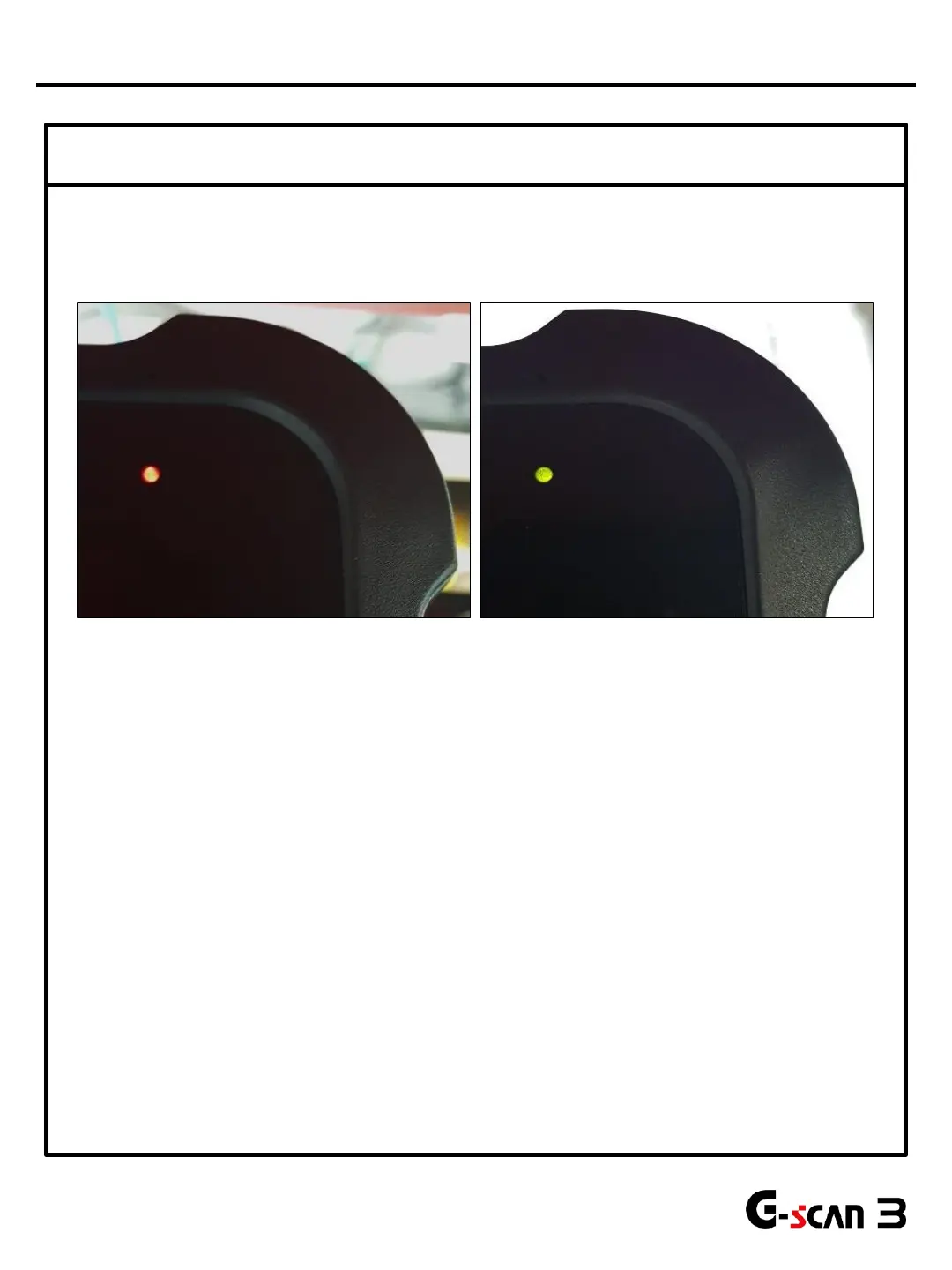
⑤ Check the LED Illumination
G-scan3 has 2 color LEDs
When the system charges normally, the LED illuminates Red,
And when it is fully charged the LED illuminates Green.
If power supply from the AC/DC adapter is normal but G-scan3 cannot be turned on, go to chapter 2.
If charging circuit is abnormal, G-scan3 will not be turned on and its LED indicator will not be
illuminated although external power supply is connected.
9
*Note: After following the trouble shooting guide and power supply problem still exists, please contact our
Head Quarter in South Korea for further assistance.
Power Supply Problems


 To Next Page