This document is an installation and operation manual for the GivEnergy EV Charger.
Function Description
The GivEnergy EV Charger is an electrical device designed to charge electric vehicles. It connects to a power supply system (TN-S or TN-C) and provides a charging port for vehicles. The charger can be controlled via an RFID card or the GivEnergy App, and it can also be integrated with a GivEnergy inverter for smart charging from excess solar power. The device is equipped with LED indicators to display its status, including standby, charging, fault, and network connectivity. It also features an RFID card reader for starting and stopping charging.
Important Technical Specifications
The manual provides details on the physical installation and electrical connections.
Physical Specifications:
- Dimensions for Wall Mounting: Minimum space requirements are 200mm (min) on the top, left, and right sides, and 1200-1400mm from the ground. The fixing holes for the mounting accessory (D) are spaced 143mm x 152mm.
- Mounting Holes: 4 holes with a diameter of 10mm and a depth of at least 50mm are required for mounting.
- Wire Conductor Insulation Removal: 10-12mm of insulation should be removed from the wire conductor.
- Charging Connector: Supplied with a Case C connection (EN IEC 61851-1:2019), which means a cable and vehicle connector are permanently attached to the EV charging station.
Electrical Specifications:
- Power Supply System: Compatible with TN-S and TN-C power supply systems.
- Communication Cable: A two-core shielded communication cable is required between the charger and an EM115 meter for charging from excess solar. It can also be wired directly to a GivEnergy inverter's meter communication port for control (feature coming soon).
- Charging Current: Configurable, with an example showing 32A.
- OCPP Version: Supports OCPP1.6-J.
- OCPP Server:
wss://ev.comms.givenergy.cloud:7655.
- Access Point Name: EVSE-12345678 (example).
Usage Features
Installation:
- Package Contents: Includes EV Charger (1 pc), Charge plug dock (1 pc), RFID card (2 pcs), Wall-mounting accessories (1 set), and User manual (1 pc).
- Preparation: Handle the electrical device with care, avoiding forceful impacts or vibrations. Do not move the charging station by dragging the vehicle connector or charging cable. Install in a well-ventilated area, away from direct sunlight, wind, and rain. Avoid extreme weather conditions (low or high ambient temperatures) during installation.
- Mounting: Secure the mounting accessory (D) to the wall using expansion screws after drilling holes. Then, attach the charging station to the mount.
- Wiring: Unscrew the 6 outer screws (A) to open the front cover. Loosen the gland (B), pass the power cable through, remove insulation from the wire conductor (H), pull up the lever (G) to open the terminal, plug in the wire conductors, and press the lever down (G) to secure connections. Screw in the 6 screws (A) and tighten the gland of the input cable.
- Charging Port: When in standby, plug the vehicle connector into the empty connector socket to protect it. Fix this empty socket beside the charging station using expansion screws.
Operation:
- Powering On: After installation, switch on the power supply. The indicator light (A) will light up, and the charging station will enter standby.
- LED Indicators:
- Standby: Green ON.
- Ground Fault: Green Blinking.
- Connected to EV: Red ON.
- Charging: Red BLN control.
- Fault: Yellow Blinking (twinkle frequency indicates fault code).
- Unconnected Network: Blue OFF.
- Connected to Network: Blue ON.
- Exchange Data with CMS: Blue Slow blink.
- Configure WiFi: Blue Fast blink.
- RFID Card Reader: Swipe the RFID card (B) to start or stop charging.
- RFID Tag Pairing: Hold the button until the WiFi light blinks fast, then hold the new RFID tag to the reader until pairing is successful.
- WiFi Connection:
- GivEnergy App: Follow in-app instructions.
- WiFi Hotspot: Within two minutes of powering on, connect to the charger's WiFi hotspot (e.g., "EVSE-12345678"). The password is on a sticker on the side of the charging station.
- Login to Settings: Enter
192.168.4.1 in a browser (not Microsoft Internet Explorer). The default password is 12345678.
- Configuration: Contact GivEnergy support for a temporary login password, which must be changed after the first login. Configure WiFi name, password, OCPP server details, charging current, and other settings. Save and restart the charger for changes to take effect.
- Charging Process:
- Ensure the vehicle is off and the handbrake is on.
- Remove the vehicle connector from the charging station.
- Plug the vehicle connector into the vehicle inlet.
- Control charging via the GivEnergy App or by swiping the RFID card.
- Stopping Charging:
- Automatic stop when the vehicle is fully charged.
- Swipe the RFID card across the reader.
- Press the 'stop' button in the GivEnergy App.
- Return the vehicle connector to its dock after charging.
Maintenance Features
Fault Handling: The manual provides a comprehensive list of fault codes indicated by LED flashes and corresponding handling methods.
- No LED lights: Check power supply, distribution, branch breaker, and all connections.
- LED flashes (Fault code 11: CP Voltage Anomaly): Check/disconnect/reconnect vehicle connector and EV socket.
- 1 slow 3 fast (Fault code 13: Undervoltage Input): Check input cable connection and input voltage abnormalities.
- 1 slow 4 fast (Fault code 14: Overvoltage Input): Check input cable connection and input voltage abnormalities.
- 1 slow 5 fast (Fault code code 15: Over-temperature Protection): Check if the charging station is covered or installed in a high-temperature environment.
- 1 slow 6 fast (Fault code 16: Metering Fault): Power off and restart the charging station.
- 1 slow 7 fast (Fault code 17: Leakage Protection): Check vehicle connector/cables for damage/wetness; ensure vehicle port is covered when connector is not present.
- 1 slow 8 fast (Fault code 18: Leakage Protection): Check vehicle connector/cables for damage/wetness.
- 1 slow 9 fast (Fault code 19: Output): Check/disconnect/reconnect vehicle connector.
- 2 slow 1 fast (Fault code 21: EV Response Timeout): Vehicle fully charged, or check/disconnect/reconnect vehicle connector.
- 2 slow 2 fast (Fault code 22: Vehicle is not supported): Vehicle is incompatible with EV Charger and does not meet IEC standard.
- 2 slow 3 fast (Fault code 23: Vehicle is not supported): Device is damaged and needs to be returned to GivEnergy.
- 2 slow 4 fast (Fault code 24: RCD Fault): RCD is damaged and needs to be returned to GivEnergy.
- 2 slow 5 fast (Fault code 25: Ground Fault): Charging station is not grounded; input power cable needs to be checked.
Fault Stop:
- Forced fault stop: Initiated by the onboard vehicle charger.
- Automatic fault stop: Initiated by the charging station.

 Need help?
 General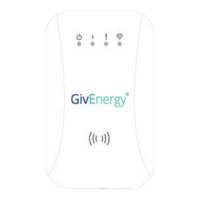

 To Next Page