Connection
Initial Connection/Changing the Controller
Non-initial connection
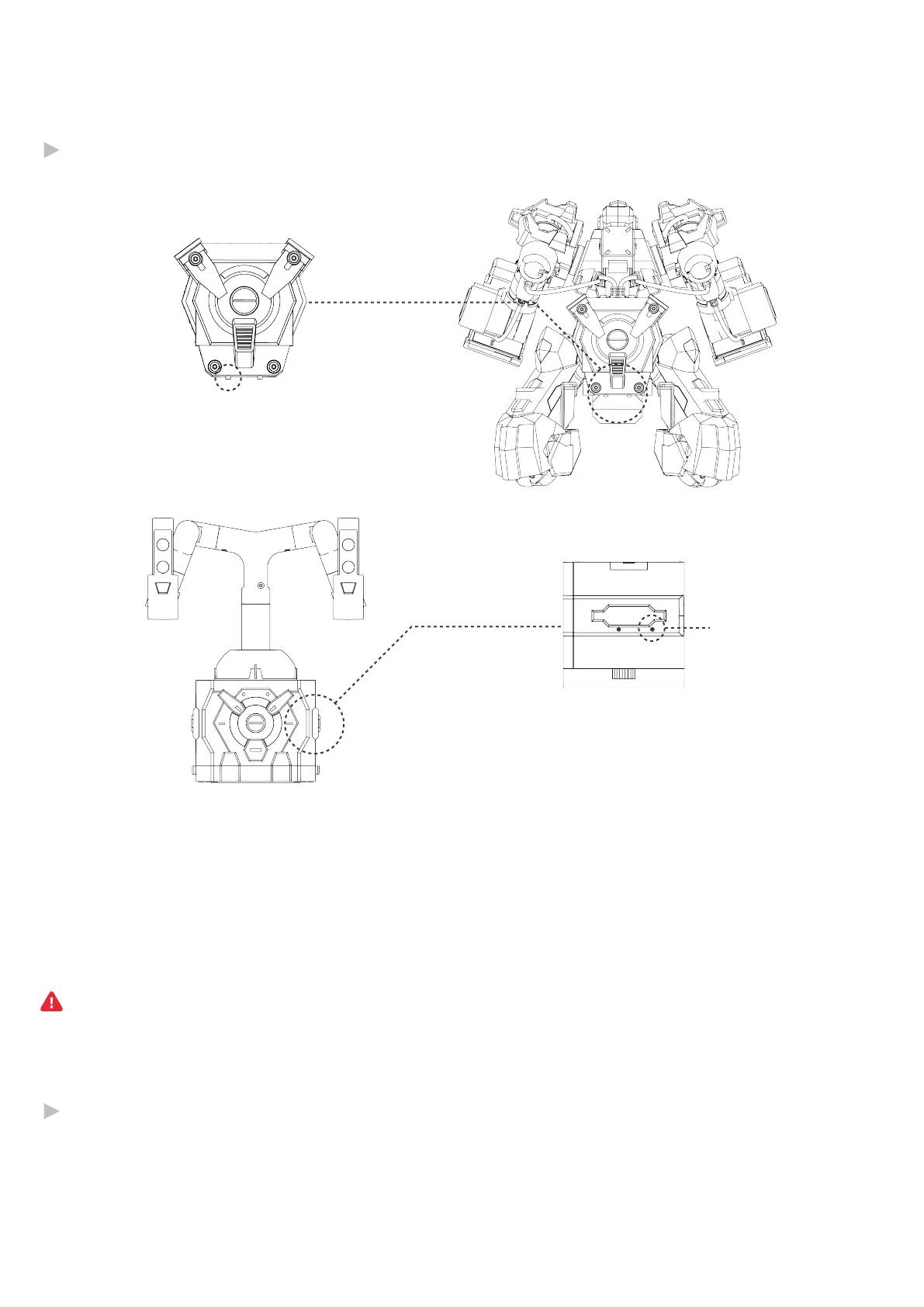
WPS button
WPS button
If WPS connection failed, the ring indicator returns to a steady light (without a beep). In this case, press the WPS
button again and try again.
When the ring indicator is a breathing light, do not press the WPS button.
On the left of the controller
@Shenzhen GJS Technology Co., Ltd.
13
1. After startup, both ring indicators act as a breathing light.
2. When the breathing light changes to a steady light, press the WPS buttons on the robot and
also the joystick controller respectively. In this case, both ring indicators will flash quickly in
a cyclic manner.
3. After they communicate with each other, the robot connection indicator on the controller will
be lit up, accompanied with 2 short beeps from the buzzer.
After startup, the robot with WPS enabled will be automatically connected to the joystick
controller.
The robot connection indicator will flash quickly in a cyclic manner during connection and
change to a steady light after successful connection.


 To Next Page