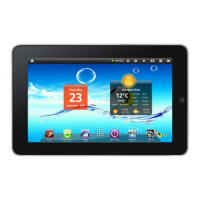
Product Model: PC1001
Operation Manual
The pictures or words may be inconsistent due to upgrade of product edition or specification
modification and are subject to actual products without further notice.
Content
Content………………………………………………………………………………1
1. Appearance Description..…………………………………………………………1
2. Getting Started……………………………………………………………………1
2.1 Battery Recharge..………………………………………………………………1
2.2 Memory Card……………………………………………………………………1
2.3 Hot Plug of Memory Card and External Flash Disk……………………………1
2.4 Storage Space……………………………………………………………………1
2.5 Power on and Power off…………………………………………………………1
2.6 Vibration…………………………………………………………………………1
2.7 Screen Rotation.…….……………………………………………………………1
2.8 Network Cable and Flash Disk……………………………………………………1
2.9 Network Connection………………………………………………………………1
3. Input Operation..…………………………………………………………………1
3.1 Keyboard..………………………………………………………………………1
3.2 Touch Screen………………………………………………………………………1
3.3 Mouse……………………………………………………………………………1
4. Desktop……………………………………………………………………………1
4.1 Status Bar…………………………………………………………………………1
4.2 Main Interface……………………………………………………………………1
4.3 Shortcut…………………………………………………………………………1
4.4 Add Gadgets………………………………………………………………………1
4.5 Desktop Gadget……………………………………………………………………1
5. Website Browsing…………………………………………………………………1
6. Application Software Management…………………………………………………1
6.1 Installation and Uninstallation……………………………………………………1
7. Classic Application Introduction……………………………………………………1
7.1 Instant Message……………………………………………………………………1
7.2 E-mail……………………………………………………………………………1
7.3 Document Browser………………………………………………………………1
7.4 Electronic Photo Frame……………………………………………………………1
7.5 Multimedia Library………………………………………………………………1
7.6 Music………………………………………………………………………………1
7.7 Camera….…………………………………………………………………………1


 To Next Page
 Loading...