EasyManua.ls Logo

Global Traffic Technologies Opticom 2100 Series - User Manual

Global Traffic Technologies Opticom 2100 Series
39 pages
Print Icon
To Next Page IconTo Next Page
Loading...
Opticom
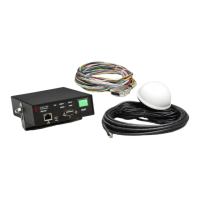
GPS System
Vehicle Equipment
Model 2100 Series
Installation Manual May 2013

Questions and Answers

  • C
    Cathy FloresAug 10, 2025
    Why is my Global Traffic Technologies GPS not acquiring a signal?
    • S
      Sara CastilloAug 10, 2025
      If the Global Traffic Technologies GPS unit fails to acquire a signal (RADIO LED is amber), there are several potential causes. First, initial start-up can take up to five minutes, so please wait. If that doesn't work, the unit's view of the sky might be obstructed; try moving the unit or removing any obstructions. If the issue persists, the radio/GPS antenna or control unit may have failed, requiring you to return the unit to GTT for service.
  • K
    Kayla GonzalesAug 25, 2025
    How to fix Global Traffic Technologies GPS vehicle control unit LEDs not lighting?
    • T
      Terry GarciaAug 25, 2025
      If the LEDs on your Global Traffic Technologies vehicle control unit aren't lighting up, begin by checking the wiring to ensure it's correct and that the control unit is receiving 10-36 VDC. Next, verify that a signal is being applied to the blue wire of the vehicle interface harness, and ensure the switches are set correctly for how the remote activation line is wired. Also, inspect the fuses and replace them with 2A/250V 3AG SLO-BLO fuses if blown. If these steps don't resolve the issue, the vehicle control unit may have failed and should be returned to GTT for service.

Global Traffic Technologies Opticom 2100 Series Specifications

General IconGeneral
CategoryGPS
GPS Accuracy2.5 meters CEP
Update Rate1 Hz
Operating Temperature-30°C to +70°C
Communication InterfaceRS-232, Ethernet
Power Supply12-24 VDC