
 Need help?
Do you have a question about the globalpayments Desjardins T650C and is the answer not in the manual?
Tips to ensure a smooth processing experience with Global Payments Canada.
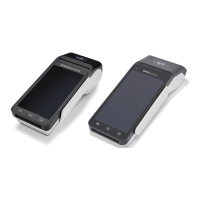
Details on the Global Payments Terminal models T650C and T650P.
Information on the Global Payments Terminal and its capabilities.
Instructions for inspecting and unpacking the terminal and included items.
Recommendations for optimal terminal placement and environmental considerations.
Instructions for connecting the terminal to a power source and supply specifications.
Procedures for powering the terminal on, off, and restarting it.
Guidance on how to change the terminal's language settings.
Overview of the device's home screen and navigation.
Showcases all pre-installed applications on the device.
Description of the Payments app as the central hub for payment management.
Explanation of the soft buttons on the device and their functions.
Mapping of the virtual keypad buttons to their functions.
How the terminal defaults to a numeric keypad for specific fields.
How the virtual Android keyboard is displayed for alphanumeric input.
How to access and view terminal battery usage and management settings.
Instructions for configuring key beep settings.
How to adjust brightness and ambient display settings.
Explanation of the password structure for user access levels.
How to set up manager and supervisor passwords.
Instructions for managers to change their own passwords.
Steps to connect the terminal to a Wi-Fi network.
Instructions for connecting the T650C terminal via Ethernet.
Information on the T650P's 4G connectivity.
Procedure for performing contactless transactions with the terminal.
Steps to perform transactions using EMV chip cards.
Procedure for performing transactions using magnetic stripe cards.
Steps to authorize a pre-payment amount for a credit transaction.
Steps to finalize a transaction with the final amount, including tips.
How to reprint receipts from the transaction list.
Overview of two types of integration for Payments app in Semi-Integrated mode.
Information on the terminal's auto remote update feature.
Instructions for changing the paper roll in the terminal.
Steps to troubleshoot issues when the card reader fails to read cards.
Procedures to follow if the terminal is not functioning correctly.
Guidance on clearing paper jams and avoiding them.
Troubleshooting steps if the terminal prints blank receipts.
Contact information for terminal service and repair.
Instructions for returning defective terminals for replacement.
 General
| Brand | globalpayments |
|---|---|
| Model | Desjardins T650C |
| Category | Touch terminals |
| Language | English |

 To Next Page