-
·
~6.m!lW
4.1
ON/
OFF
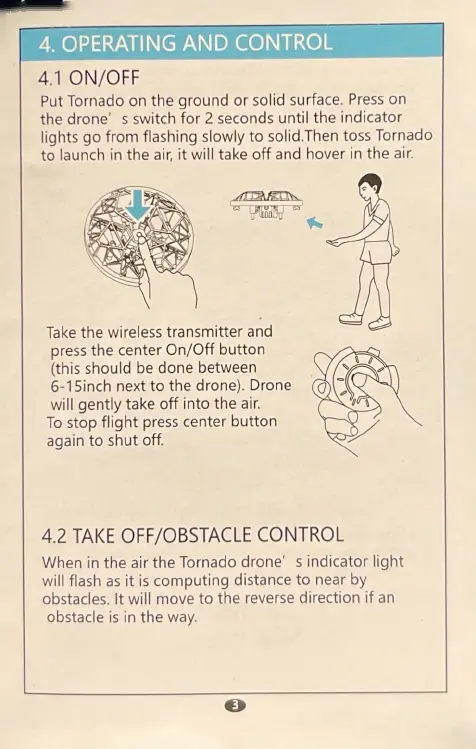
Put
Tornado on the ground or solid surface.
Press
on
the drone' s switch for 2 seconds until the indicator
lights go from flashing slowly to solid.Then toss Tornado
to launch in the
air,
it will take
off
and hover
in
the air.
Take
the wireless transm itter and
press the center On/Off button
(this should
be
done between
6-1
Sinch
next
to
the drone). Drone
will gently take
off
into the
air.
To
stop flight
press
center button
again
to
shut off.
4.2
TAKE
O
FF
/OBSTACLE
CONTROL
When
in
the air the Tornado drone' s indicator light
will flash
as
it
is
computing distance
to
near by
obstacles. It wil l move to the reverse direction
if
an
obstacle
is
in the way.



 To Next Page