EasyManua.ls Logo

Glunz & Jensen PlateWriter 2000 - User Manual

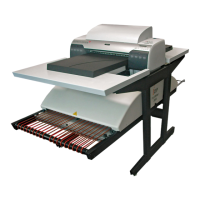
Glunz & Jensen PlateWriter 2000
102 pages
Print Icon
To Next Page IconTo Next Page
Loading...
Operating Manual
PlateWriter
TM
2000

Table of Contents

Other manuals for Glunz & Jensen PlateWriter 2000

Questions and Answers

  • P
    pricebaileyAug 2, 2025
    What to do if my Glunz & Jensen PlateWriter 2000 Printer shows a bulb error?
    • G
      gfreemanAug 2, 2025
      If your Glunz & Jensen Printer indicates a bulb error, meaning one or more bulbs in the oven are blown, power the unit off. Replace the blown bulb(s), and then power the unit back on.
  • D
    Danielle IngramAug 9, 2025
    Why is my Glunz & Jensen PlateWriter 2000 Printer showing a motor regulation error?
    • D
      Deborah VazquezAug 9, 2025
      A motor regulation error on your Glunz & Jensen Printer indicates that the motor or conveyor is blocked. To resolve this, power the unit off, remove the obstacle that is blocking the motor or conveyor, and then power the unit back on.
  • D
    dmaxwellAug 16, 2025
    How to fix 'unit not ready' on Glunz & Jensen PlateWriter 2000 Printer?
    • C
      Charles PerryAug 16, 2025
      The 'unit not ready' message on your Glunz & Jensen Printer means the oven sensor is covered without the conveyor sensor being activated first. Remove the plate and place it properly above the conveyor sensor.
  • E
    ewalkerAug 25, 2025
    What to do if the Glunz & Jensen PlateWriter 2000 has a plate on the conveyor when the oven is not ready?
    • J
      Jamie SkinnerAug 25, 2025
      If a plate is on the conveyor of your Glunz & Jensen Printer when the oven isn't ready, you should first remove the plate and wait for a steady green signal before placing the plate on the conveyor again. If the issue persists, power the unit off, replace the bulb, and then power it back on. Alternatively, power the unit off, remove any obstacles, and then power it back on.

Summary

Part 2: Daily Use

Making Proofs and Plates

Instructions for preparing files and printing proofs, and the process of making plates.

Imaging and Finishing Plates

Details the plate imaging process and the subsequent finishing steps for press-ready plates.

Part 3: Cleaning & Maintenance

Part 4: Using the RIP

Setting Up Devices and Styles

Covers configuring devices and creating separation and progressive styles for plate-making.

Creating Page Setups

Explains how to create, define, and manage page setups for various plate-making requirements.

PlateWriter 2000 Plug-in Functionality

Details the specific features, options, and configurations of the PlateWriter 2000 plug-in within the Xitron RIP.

Automating Job Input

Describes methods for automating job submission using input plugins like SpoolFolder, AppleTalk, and NT Print.

Calibrating Presses and Curves

Explains the importance of calibration, press calibration procedures, and applying intended press curves.

Part 5: Troubleshooting

Finishing Unit Error Codes

Lists and explains the indicator status lamps and error codes for the Finishing Unit.

Glunz & Jensen PlateWriter 2000 Specifications

General IconGeneral
TechnologyInkjet
ConnectivityEthernet
TypeComputer to Plate (CtP)
Resolution2400 dpi
Speed20 plates/hour
Plate Thickness (mm)0.15 - 0.30
Laser TypeNot applicable

Related product manuals