R 22MAR23
PART No.
SHEET
ALL INFORMATION WITHIN ABOVE
BORDER TO BE PRINTED EXACTLY
AS SHOWN ON 8.5 x 11 WHITE 16
POUND
NON-BOND RECYCLABLE
PAPER.
PRINT ON BOTH SIDES,
EXCLUDING TEMPLATES. TO BE
UNITED IN ACCORDANCE
WITH
GMCCA SPECIFICATIONS.
Date Revision Auth DR
Title
Ultium PowerUP Charge Station
User Manual
13DEC22 Fourth Re l SAR
MB
22MAR23
Fifth Re l
SAR
MB
84922762
29NOV22
Third Re l
SAR
AH
59
ES
Estación De Carga Ultium Powerup
1.
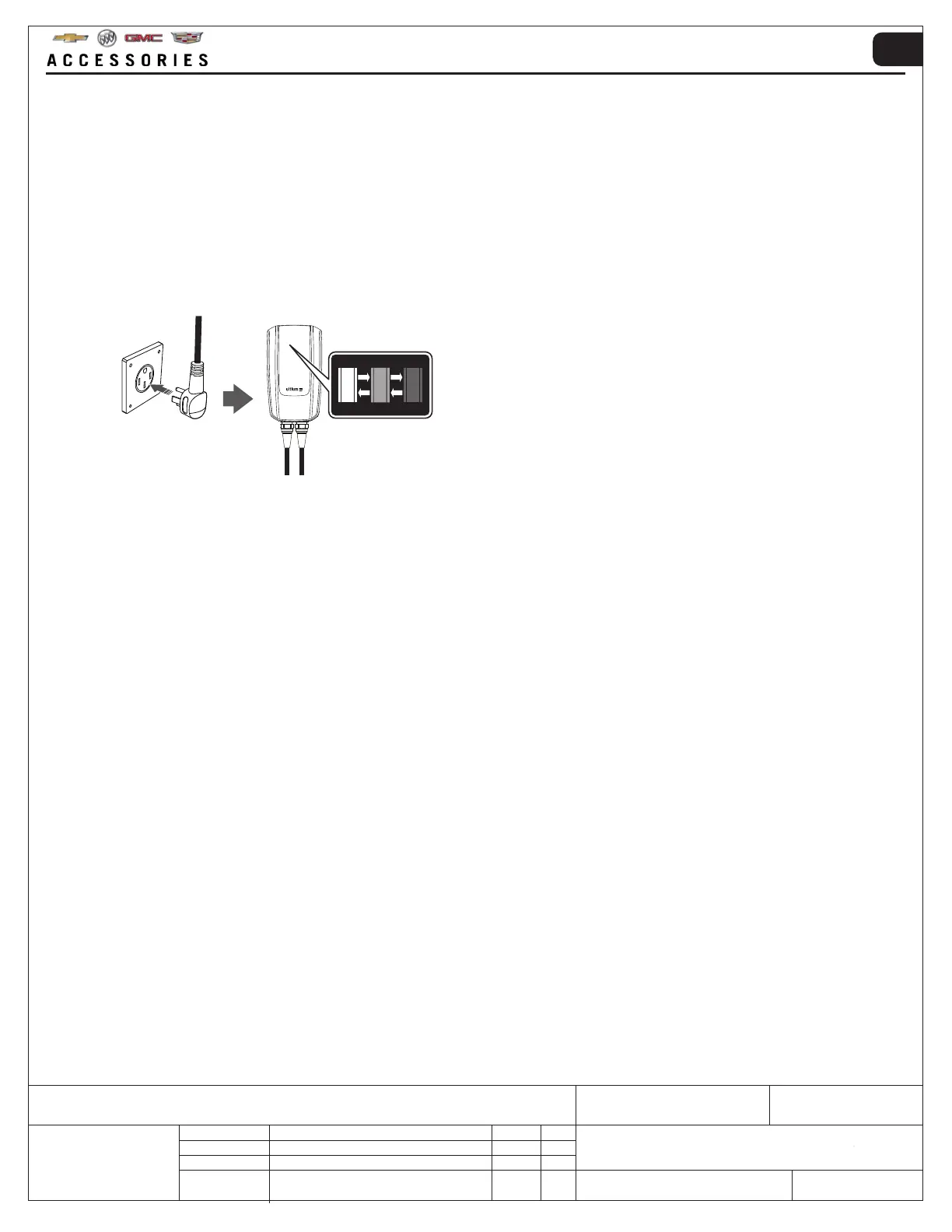
!PRECAUCIÓN: Siempre que sea posible, desconecte la fuente de alimentación en el disyuntor hacia la Estación
de carga Ultium PowerUP antes de conectar el enchufe NEMA 14-50.
Conecte el cable de alimentación al tomacorriente con el enchufe NEMA 14-50 → restablezca el suministro de energía
a la Estación de carga Ultium PowerUP desde el disyuntor.
Cuando la Estación de carga Ultium PowerUP está conectada al tomacorriente y encendida, las ZONAS 1 y 2
aparecerán y se desvanecerán gradualmente.
2. Conexión Bluetooth
®
:
• Android: deslice hacia abajo desde la parte superior de la pantalla → Presione "Bluetooth
®
" para activar
• iOS – vaya a "Ajustes” → “Bluetooth
®
” → alternar para activar
• Otros sistemas operativos: consulte el manual del dispositivo móvil inteligente para establecer correctamente
la conexión Bluetooth
®
5. INSTRUCCIONES DE FUNCIONAMIENTO
3. Para propietarios de vehículos GM, instale la aplicación GM My Brand mediante los siguientes pasos:
• Android: en el dispositivo móvil inteligente, vaya a “Play Store” → busque “MyBuick | MyCadillac | MyChevrolet
| MyGMC” → “Instalar”
• iOS: en el dispositivo móvil inteligente, vaya a “App Store” → busque “MyBuick | MyCadillac | MyChevrolet |
MyGMC” → “Obtener” →”Instalar”
• Otros sistemas operativos: consulte el manual del dispositivo móvil inteligente para seleccionar correctamente la
tienda de aplicaciones e instalar la aplicación MyBuick | MyCadillac | MyChevrolet | MyGMC
Para registrar una cuenta My Brand y configurar la estación de carga Ultium PowerUP, realice los siguientes pasos:
• Abra la aplicación MyBuick | MyCadillac | MyChevrolet | MyGMC → Cree una cuenta My Brand e inicie
sesión→ Registre el nuevo vehículo GM en la aplicación
• Vaya a “Página de inicio” → seleccione “Estado de carga” y configure el cargador. Alternativamente, vaya al
menú “Más” y seleccione “Cargadores PowerUP” para configurar la estación de carga Ultium PowerUP
• Para los propietarios de vehículos GM existentes, inicie sesión en su cuenta My Brand → Vaya a “Página de inicio”
→ seleccione “Estado de carga” y configure el cargador. Alternativamente, vaya al menú “Más” y seleccione
“Cargadores PowerUP” para configurar la estación de carga Ultium PowerUP


 To Next Page
 Loading...


