R 22MAR23
PART No.
SHEET
ALL INFORMATION WITHIN ABOVE
BORDER TO BE PRINTED EXACTLY
AS SHOWN ON 8.5 x 11 WHITE 16
POUND
NON-BOND RECYCLABLE
PAPER.
PRINT ON BOTH SIDES,
EXCLUDING TEMPLATES. TO BE
UNITED IN ACCORDANCE
WITH
GMCCA SPECIFICATIONS.
Date Revision Auth DR
Title
Ultium PowerUP Charge Station
User Manual
13DEC22 Fourth Re l SAR
MB
22MAR23
Fifth Re l
SAR
MB
84922762
29NOV22
Third Re l
SAR
AH
61
ES
Estación De Carga Ultium Powerup
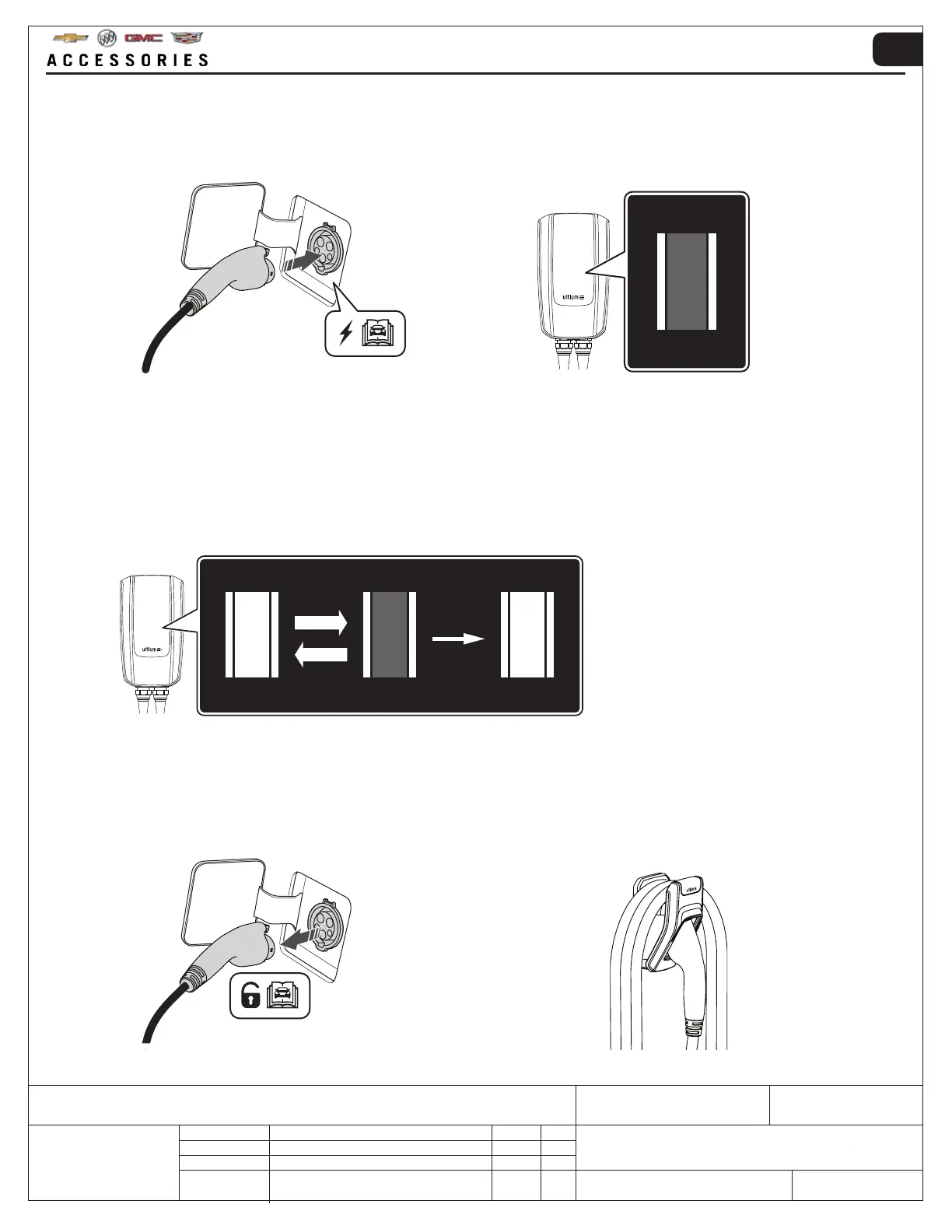
10. Cuando el vehículo está completamente cargado:
• Desbloquee el enchufe de carga del tomacorriente de carga del vehículo según el manual del propietario del
vehículo
• Enrolle sin apretar el cable de carga en el soporte de pared para que el cable no entre en contacto con el suelo
• Vuelva a colocar el enchufe de carga en la funda
9. Durante la carga:
• ZONA 1 → Parpadeante
• ZONA 2 → Luz constante
Cuando la carga está completa
• ZONA 1 → Luz constante
• ZONA 2 → Luz constante
8. DESENROLLE COMPLETAMENTE EL CABLE DE CARGA ANTES DE CONECTARLO.
Cuando el enchufe de carga está conectado correctamente a la toma de carga del vehículo, la ZONA 2 en el panel
indicador mostrará una luz constante. La Estación de carga Ultium PowerUP estará esperando que un dispositivo
móvil inteligente autorice una sesión de carga o. el programa de carga preprogramado para comenzar.



 To Next Page