7
DRIVER INFORMATION CENTER
The Driver Information Center (DIC) on the instrument cluster displays a variety of vehicle system
information and warning messages.
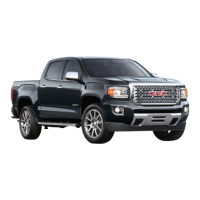
Base DIC Controls
MENU
Press to display the Trip/Fuel menu, Vehicle
Information menu or Eco menu.
Rotate the band to scroll through the items of
each menu.
SET/CLR
Press the button on the end of the lever to set
a menu item or clear a message. Press and
hold the button to reset a menu item.
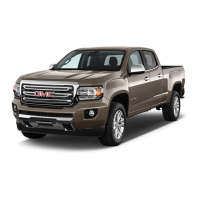
Color DIC Controls
F
Press to move between display zones.
Press to move through the menus.
Press to open a menu or select/deselect
asetting. Press and hold to reset or clear
anitem.
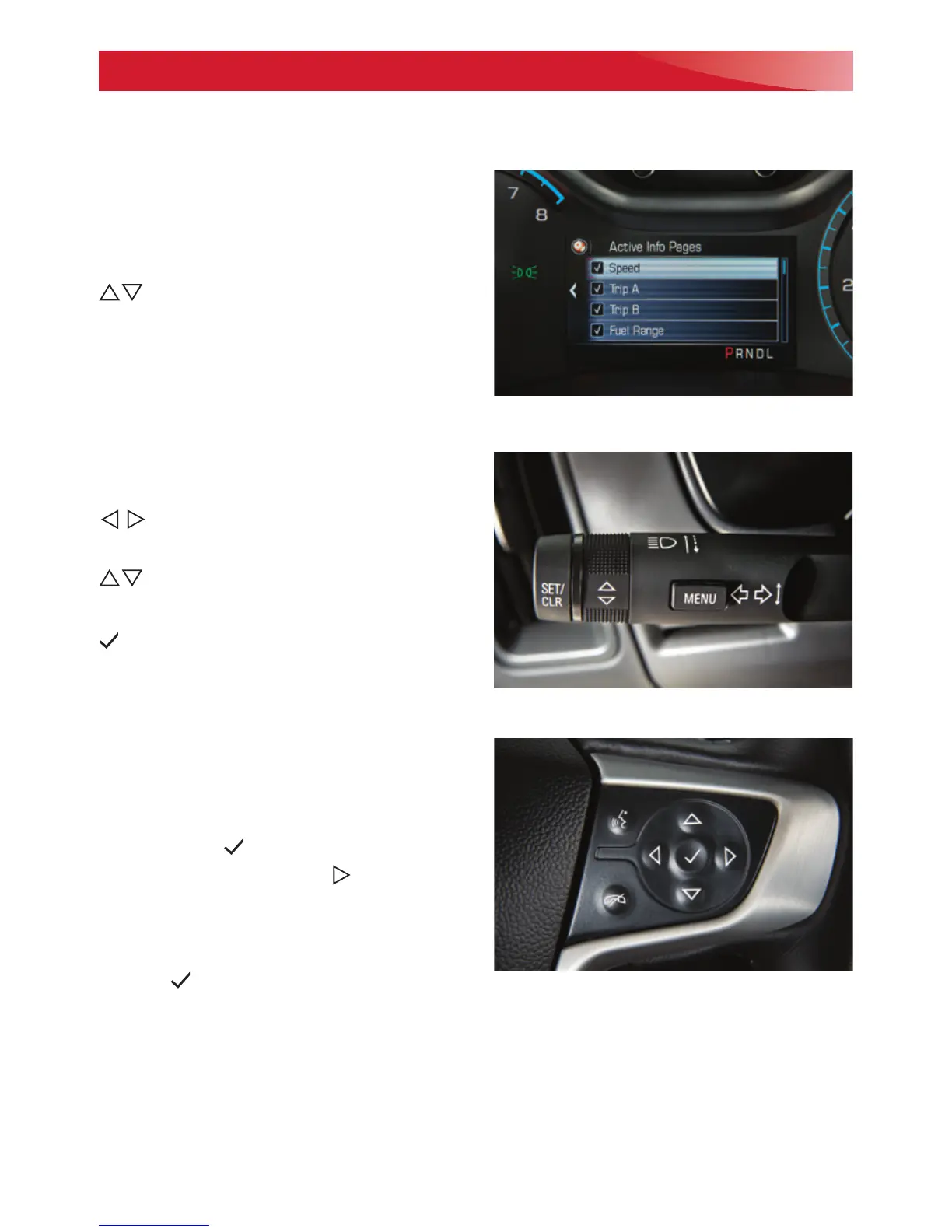
Info Pages (Color DIC)
The info pages displayed under the Info menu
can be customized.
1. Use the controls to display the Options
menu. Press .
2. Scroll to Info Pages. Press to view the
items.
3. Use the controls to move through the
items.
4. Press to select/deselect an item to
display.
Color DIC shown
Base DIC Controls
Color DIC Controls
F
Optional equipment
See Instruments and Controls in your Owner’s Manual.





 To Next Page