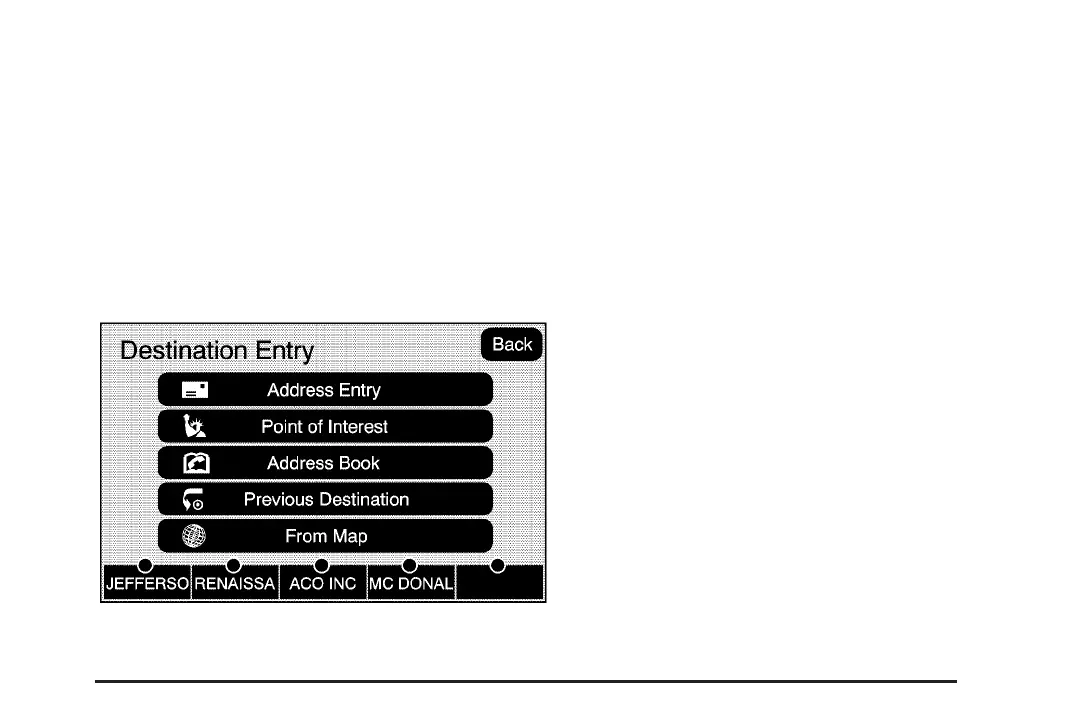
Preset Destination
The preset destination entry method allows you
to set a destination by selecting from one of five
previously stored destinations. Besides voice
tagged destinations, these are the only destinations
available to set while the vehicle is moving. If a
destination is not set for one of the screen buttons,
the button will be dim and will not be available for
use. See “Adding or Changing Preset Destinations”
later in this section for information on how to add a
preset destination.
To use the preset destination entry method:
1. Press the DEST hard key.
2. Select the desired preset destination screen
button. The screen buttons are labeled with
the name that was selected for the destination
when it was stored. The map screen, with
the destination marked, will display.
3. Select the route preference (Fastest, Shortest,
or Other). The system will calculate and
highlight the route.
4. Select the Start Guidance screen button.
You are now ready to start your route.
See “Getting Started on Your Route” later in
this section for more information.
39














 To Next Page