Getting to Know Your Acadia
16
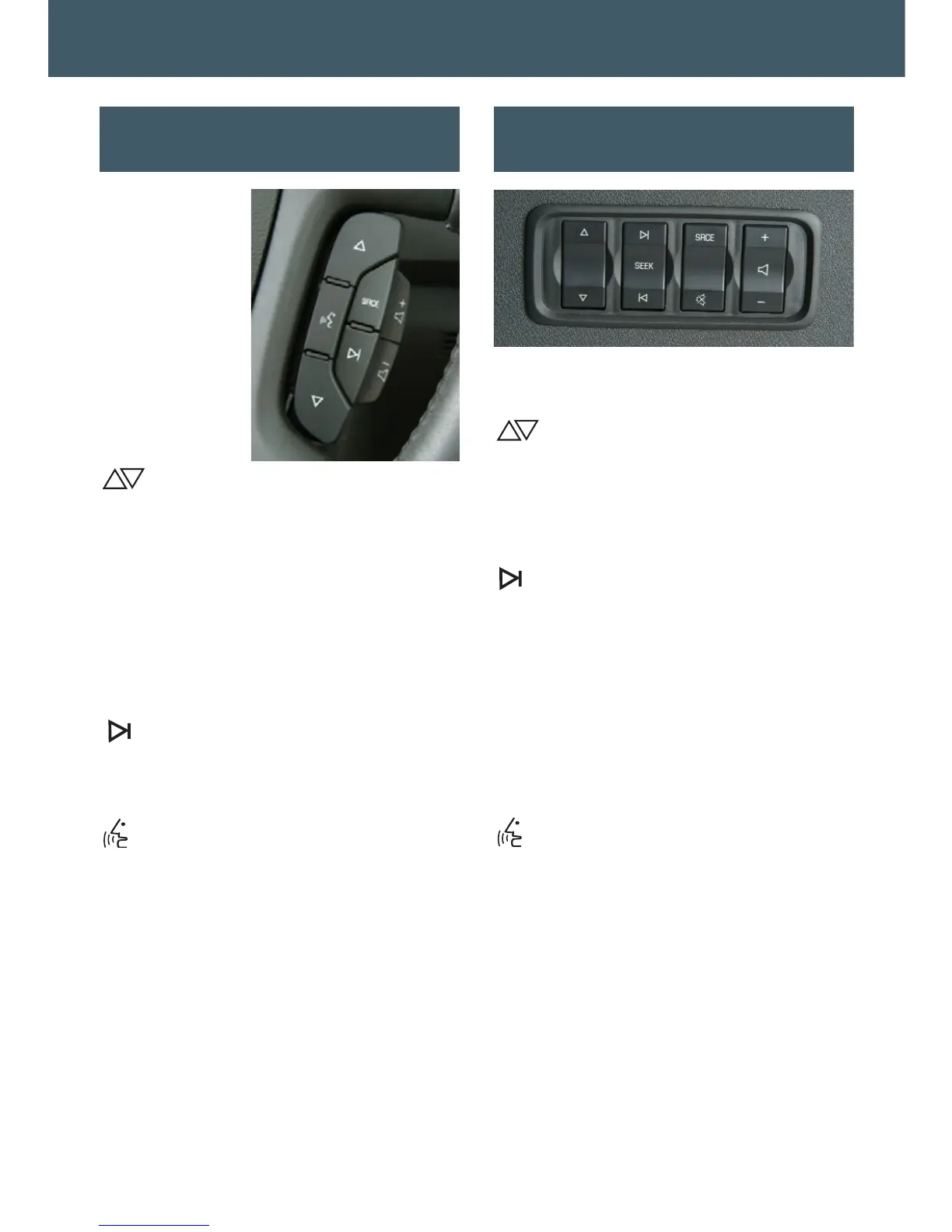
The following
audio controls
are located on
the steering
wheel:
+ – (Volume):
Pull up on the
+ or – button
to increase or
decrease the
volume.
(Next/Previous): Press the up or
down arrow to go to the next or previous
radio station stored as a favorite or,
when a CD or DVD (if equipped) is
playing, to the next or previous track or
chapter.
SRCE (Source): Press this button
to switch between AM, FM, XM (if
equipped), CD, DVD (if equipped)
and AUX.
(Seek): Press this button to go to
the next radio station on the same band
or, when a CD or DVD (if equipped) is
playing, to the next track or chapter.
(Mute/Voice Recognition): Press
this button to mute the vehicle speakers.
Press and hold the button for one sec-
ond to initiate navigation system voice
recognition or interact with the OnStar
system.
See Section 3 of your Owner Manual.
Audio Steering Wheel Controls
(if equipped)
Rear Audio Controller
(if equipped)
The following audio controls are located
in the cargo area:
(Next/Previous): Press the up or
down arrow to go to the next or previous
radio station stored as a favorite or,
when a CD or DVD (if equipped) is play-
ing, to the next or previous track or
chapter.
(Seek): Press the left or right arrow
button to go to the previous or next radio
station on the same band or, when a
DVD is playing, to the next track or
chapter, or to the next CD (if equipped
with the multiple CD player).
SRCE (Source): Press this button to
switch between AM, FM, XM (if
equipped), CD, DVD (if equipped)
and AUX.
(Mute/Voice Recognition): Press
this button to mute the vehicle speakers.
+ – (Volume): Press the + or – button to
increase or decrease the volume.
See Section 3 of your Owner Manual.



 To Next Page