1-16 In Brief
Vehicle Features
Radio(s)
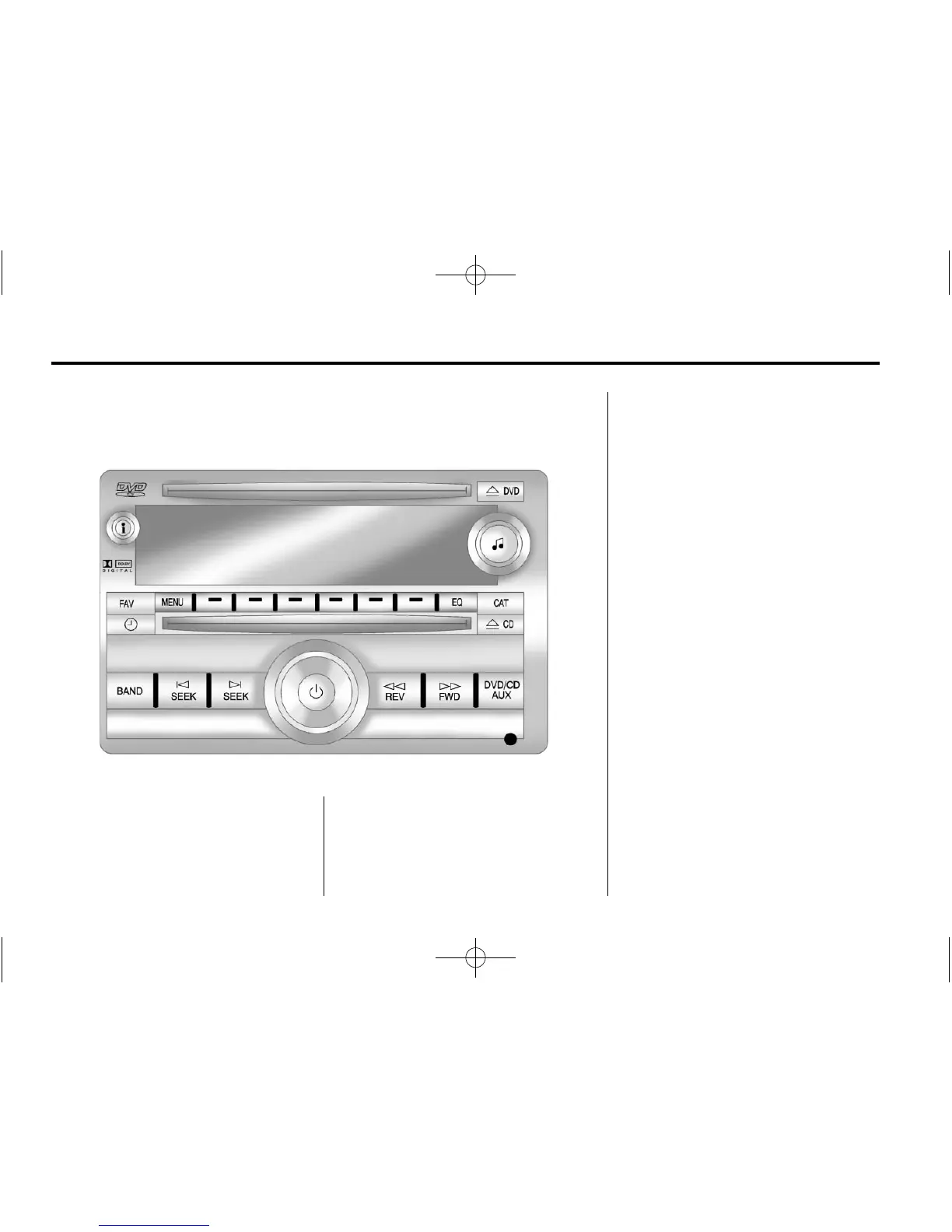
Radio with CD, DVD, and USB Port
O : Press to turn the system
on and off. Turn to increase or
decrease the volume.
BAND: Press to choose between
FM, AM, or XM™, if equipped.
f : Select radio stations.
© ¨ : Seek or scan stations.
4 : Change the display between
the radio station frequency and the
time, if equipped. While the ignition
is off, press
4 to display the time.
For more information about these
and other radio features, see
Operation on page 7‑2.
For vehicles with a Rear Seat
Entertainment System (RSE) and
Rear Seat Audio System (RSA),
see Rear Seat Entertainment (RSE)
System
on page 7‑38
and Rear
Seat Audio (RSA) System
on
page 7‑47
for more information.
Storing a Favorite Station
A maximum of 36 stations can be
stored as favorites using the six
softkeys located below the radio
station frequency tabs and by using
the radio FAV button. Press FAV
to go through up to six pages of
favorites, each having six favorite
stations available per page.














 To Next Page