7-8 Infotainment System
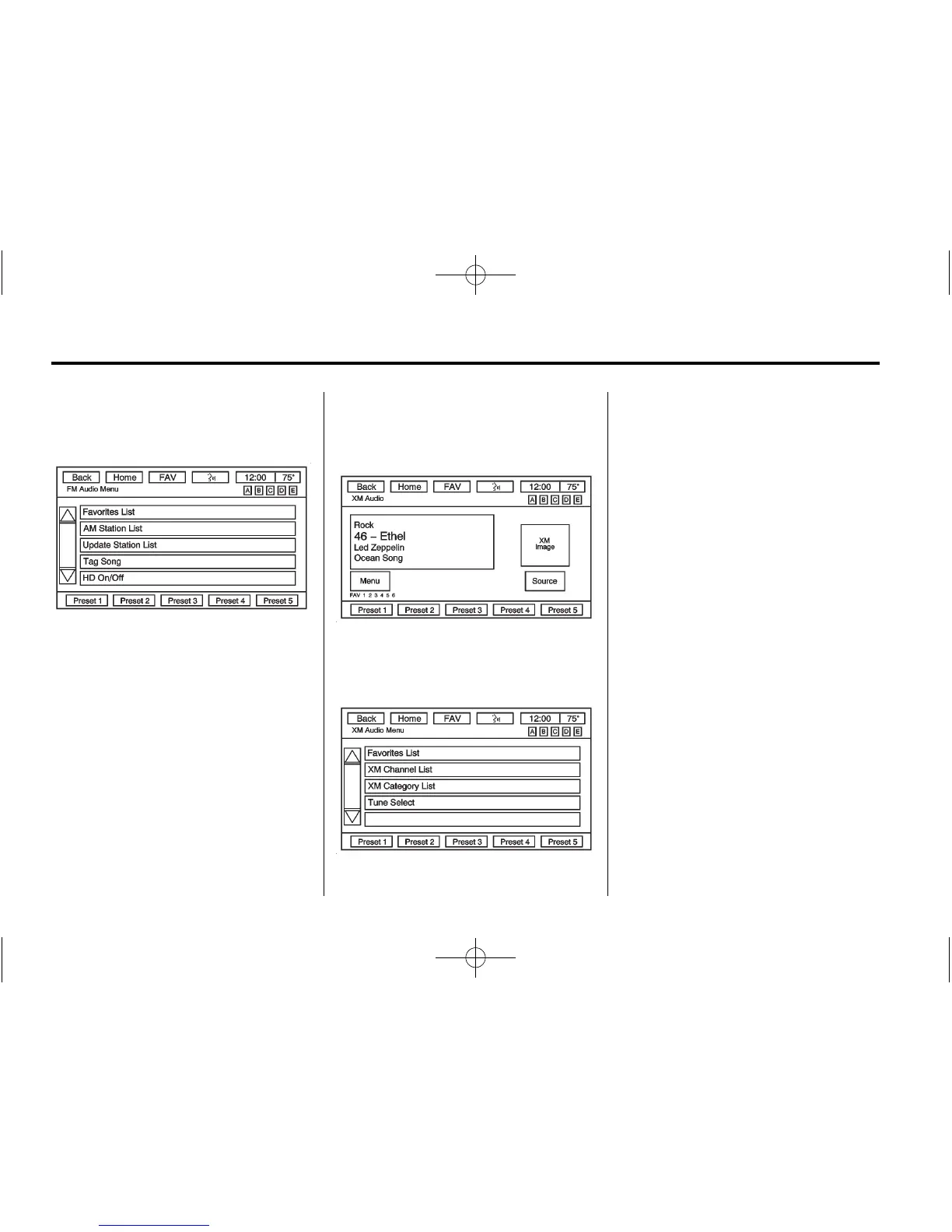
To access the FM Menu press the
Menu screen button and the
following may display:
Favorites List: Press to display the
FM favorites list.
FM Station List: Press to display a
list of FM stations.
FM Category List: Press to display
a list of FM categories.
Update Station List: Press to
display the list of FM stations. Press
refresh to update the list.
Tag Song: Press to tag a song to
download to an iPod when it is
connected to be purchased at a
later time.
HD On/Off: Press to turn the HD
Radio receiver on or off.
SiriusXM (If Equipped)
To access the XM Menu press the
Menu screen button and the
following may display:
Favorites List: Press to display the
SiriusXM favorites list.
XM Channel List: Press to display
a list of SiriusXM channels.
XM Category List: Press to display
a list of SiriusXM categories.
Tune Select: If equipped with
SiriusXM, press and the following
may display:
.
Artist: Press to set an audio alert
when the current artist is playing
on a SiriusXM channel.
.
Song: Press to set an audio alert
when the current song is playing
on a SiriusXM channel.
.
Tune Select Manager: Press
Disable/Enable All Alerts to
enable or disable all alerts.
A checkmark next to the alert
means it is turned on. Press an
alert to turn it off. Press Delete
to delete an alert.



 To Next Page