1-16 In Brief
Vehicle Features
Radio(s)
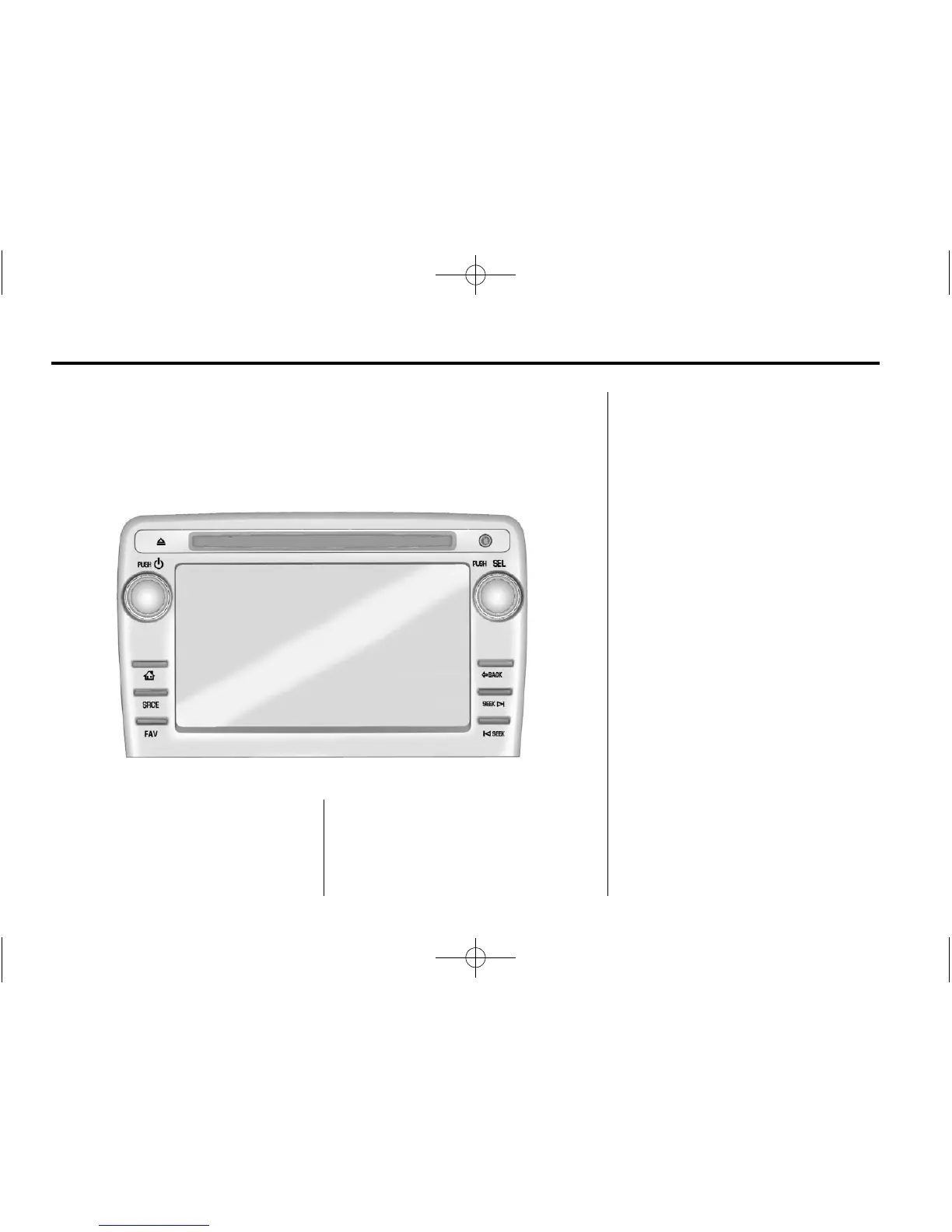
PUSH/O : Press to turn the system
on and off. Turn to adjust the
volume.
Z : Press to eject a disc from the
CD player. See CD Player on
page 7‑12.
AUX Port: 3.5 mm (1/8 in)
connection for external audio
devices.
PUSH/SEL: Turn to manually find a
station or highlight a menu
selection. Press to select a
highlighted selection.
D : Press to go to the Home Page.
See “Home Page” in Operation on
page 7‑3.
SRCE: Press to change the audio
source to AM, FM, SiriusXM
®
(if equipped), CD, USB, iPod
®
,
or AUX.
FAV: Press to display the favorite
list or add a favorite. See Operation
on page 7‑3.
© SEEK or SEEK ¨ : Seek or scan
stations and tracks. See Operation
on page 7‑3.
/ BACK: Press to return to the
previous screen in a menu.



 To Next Page