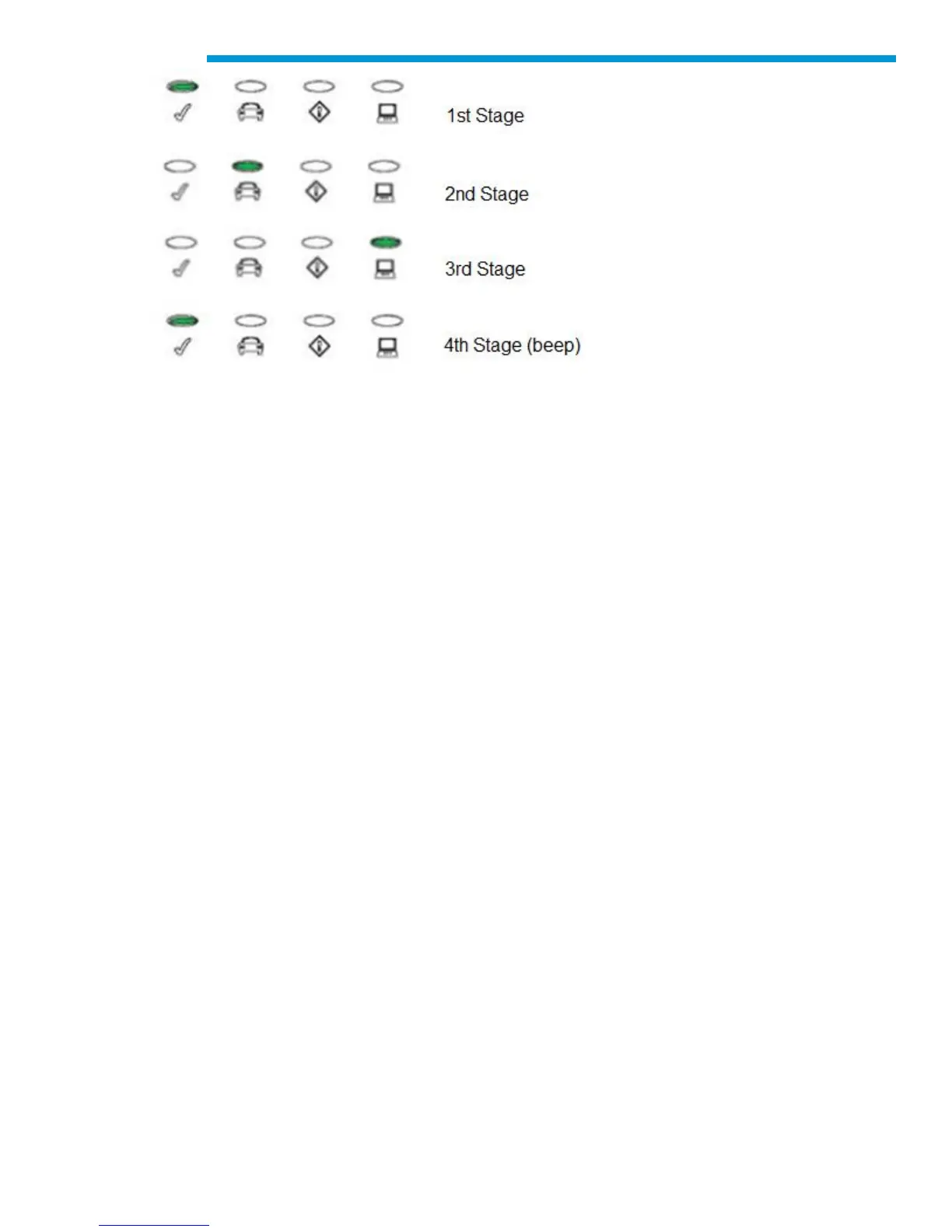
If a failure occurs, one long audible beep will be heard and a Test Failure light sequence
displays which includes the red Error LED.
Connecting the MDI 2 to a Vehicle
The MDI 2 Vehicle Communication Interface kit contains an external test equipment (ETE) cable
that connects the MDI 2 to the vehicle’s SAE J1962 Data Link Connector (DLC).
Refer to the electrical wiring diagram for the vehicle you are testing to determine the location of
the DLC on the vehicle.
Connect the 26-pin end of the ETE cable to the top of the MDI 2, then tighten the screws.
Connect the 16-pin end of the ETE cable to the vehicle DLC connector.
Powering the MDI 2
The MDI 2 will be powered by the vehicle’s 12-volt battery.


 To Next Page