3-14
AM-FM Stereo
Playing the Radio
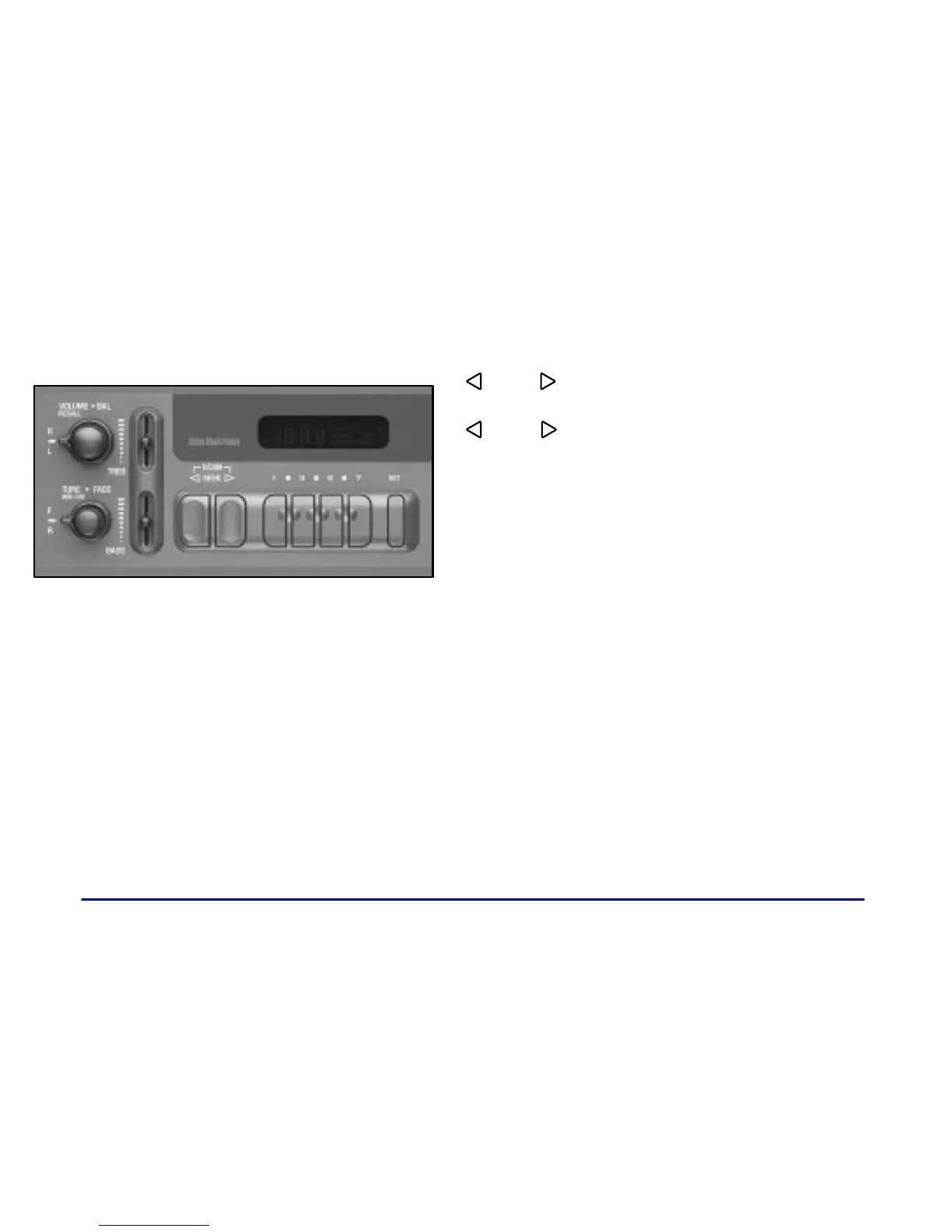
Power: Turn the VOLUME knob clockwise to turn the
system on and counterclockwise to turn the system off.
VOLUME: Turn this knob clockwise to increase
volume. Turn it counterclockwise to decrease volume.
RECALL: Pressing this knob will display the station
being played or it will display the clock. Clock display
is available with the ignition turned off.
Finding a Station
AM
-FM: Press this knob to switch between AM, FM1
and FM2. The display shows your selection.
TUNE: Turn this knob to tune in radio stations.
SEEK : Press the right or left arrow to seek to the
next or previous station and stay there.
SCAN : Press both SCAN arrows. SCAN will
appear on the display. The radio will scan to the next
station, play for a few seconds, then scan to the next
station. Press the RECALL knob or both SCAN arrows
to stop scanning.
Setting Preset Stations
The four numbered pushbuttons let you return to your
favorite stations. You can set up to 21 stations (seven
AM, seven FM1 and seven FM2) by performing the
following steps:
1. Turn the radio on.
2. Press AM
-FM to select the band.
3. Tune in the desired station.
4. Press SET. SET will appear on the display.
5. Press one of the four pushbuttons within five
seconds. Whenever you press that numbered
pushbutton, the station you set will return.
6. Repeat the steps for each pushbutton.













 To Next Page