EasyManua.ls Logo

GME GD9620W - User Manual

GME GD9620W
16 pages
Print Icon
To Next Page IconTo Next Page
Loading...
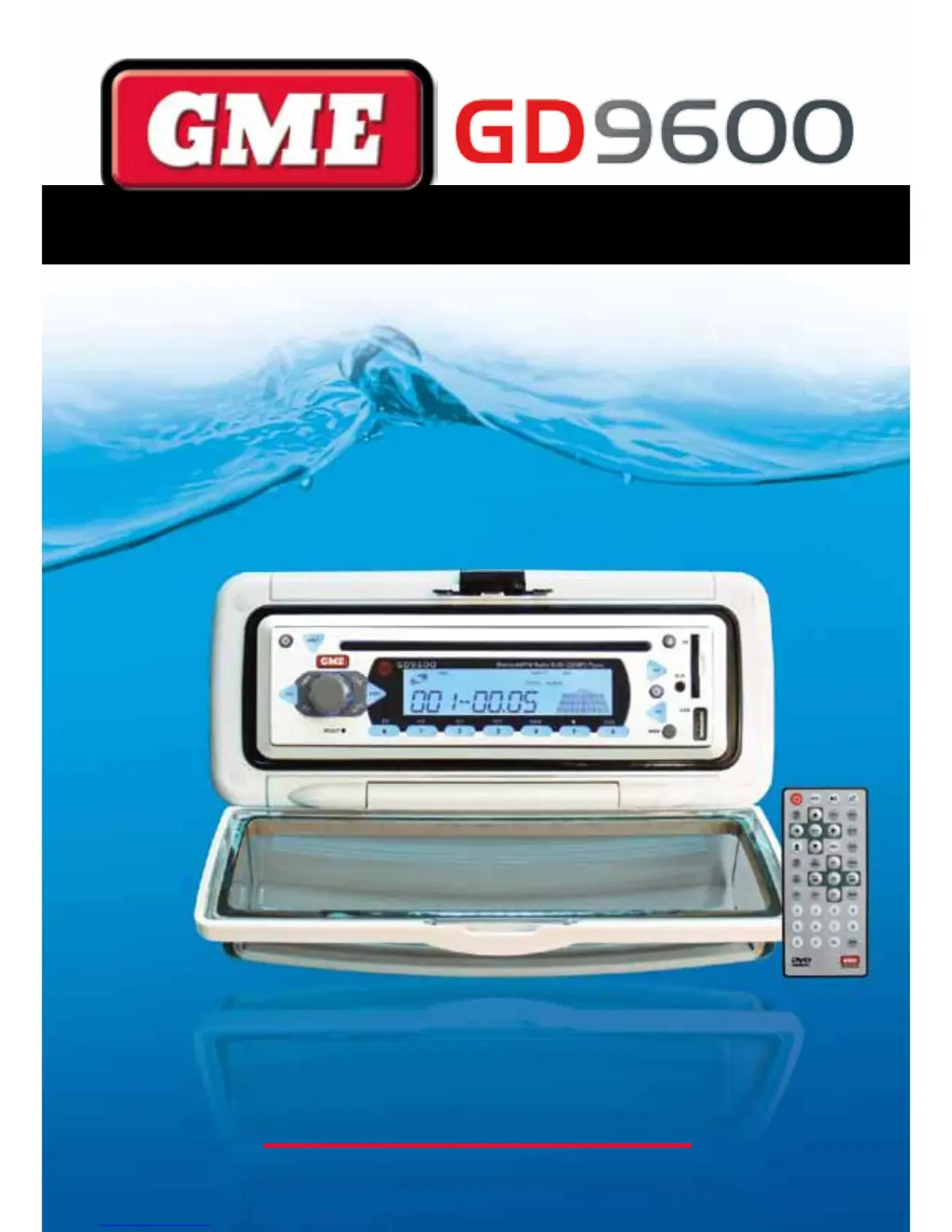
Marine Stereo System
GD9620W • GD9620B
GD9640W • GD9640B
I N S T R U C T I O N M A N U A L
w w w . g m e . n e t . a u

Questions and Answers

Summary

Introduction to GME GD9600

Product Description and Model Designators

Details the available formats for the GD9600 series, including GD9620W/B and GD9640W/B, and their design.

Control Locations Overview

Installation Guide

Installation Precautions

Provides initial steps for unit operation, including resetting the unit and memory retention details.

Handling Compact Discs

Instructions on how to handle and store CDs/DVDs to prevent damage and ensure playback quality.

Moisture Condensation

Addresses potential condensation issues inside the unit and provides a solution for clearing it.

Location Recommendations

Guidance on optimal mounting positions for the GD9600, avoiding direct sunlight and excessive vibration.

Flush Mounting GD9620

Steps for flush mounting the GD9620 model into a panel or bulkhead using the provided template.

Flush Mounting GD9640

Instructions for flush mounting the GD9640 model by disassembling and reassembling it.

Bracket Mounting GD9640

Detailed steps for mounting the GD9640 unit using its bracket, including angle adjustment.

Removing the Clear Cover

Electrical Wiring and Connections

Electrical Wiring

Details the DC connections for the GD9600, emphasizing 12 Volt negative ground systems.

Speaker Connections

Guidance on correctly connecting four speakers, including polarity and impedance recommendations.

Antenna Connections

Instructions for connecting the AM/FM marine antenna to the GD9600 unit.

External Device Interfaces

Wired Remote Control

Information on connecting a GME wired remote control (RCU9200) for extended reach.

iPod Connectivity

Details on connecting an iPod via an optional interface lead for music playback and control.

System Functions and Maintenance

Reset Button Function

Explains when and how to use the reset button to resolve operational issues.

Fuse Replacement

Provides information on fuse ratings and when to replace blown fuses.

Operation Guide

General Functions

Covers basic operations like Power ON/OFF, Volume Control, Loudness, and Mute functions.

Clock Adjustment

Instructions on how to display and adjust the current time on the unit.

Mode Selection

Explains how to cycle through operating modes like TUNER, CD, AUX, USB, and SD CARD.

Local;Distance Control

How to use the LOC button to reduce interference from strong local radio signals.

Stereo;Mono Selector

Guidance on selecting mono or stereo reception for FM bands to improve sound quality.

Radio Operation: Country Selection

How to toggle between European and USA frequency bands for radio tuning.

Tuning and Track Selection

Band Selector

How to select AM and FM radio bands using the BND button.

Manual Tuning

Steps for manually tuning radio frequencies by 50 kHz increments.

Automatic Tuning (Seek)

How to use the seek function to automatically find strong radio stations.

Storing Stations in Memory

Procedure to save desired radio stations into pre-set memory locations.

Auto Programming of Radio Stations (AMS)

How the AMS function automatically scans and stores stations.

Manually Selecting Pre-Set Stations

How to recall stored radio stations using the memory buttons.

Preset Equaliser (P-EQ)

Selection of four preset graphic equaliser settings for audio enhancement.

CD;MP3;DVD Operation

Inserting the CD;DVD

Instructions on how to insert discs into the player for automatic playback.

Ejecting a CD;DVD

Procedure to safely eject a CD or DVD from the player.

Fast Forward;Reverse

How to advance or reverse through tracks/chapters at high speed.

Stop Function

How to stop playback of the current track or chapter.

Next Track or DVD Chapter

How to step to the next track or DVD chapter.

Pause Function

How to pause and resume playback of CDs/DVDs.

Repeat Play

Function to repeat the current track, directory, or album.

Random Play

How to play tracks from a CD in a random order.

Intro-Scan

Feature to play the first 10 seconds of each track to identify songs.

On Screen Display (OSD)

How to display track, chapter, and other information on the monitor.

MP3 Functions

Explanation of MP3 format and its use with CD-R, CD-RW, SD Card, or USB.

Remote Control Functions

DVD Mode Functions

Details remote functions for DVD playback: Zoom, Subtitles, Set Up, Angle, Slow Motion, PBC.

Numeric Keys Usage

How numeric keys are used for selecting radio stations or CD tracks.

GOTO Function

Allows selection of specific tracks or chapters from a disc using the remote.

Auxiliary Inputs and Outputs

Front Panel Inputs (USB;SD Card)

Information on using USB flash drives and SD/SDHC memory cards.

Aux Input

Details on connecting external audio sources via the 2.5mm stereo jack.

Remote Control Operation

Remote Control Functions List

Overview of all functions controllable via the wireless remote handset.

Remote Control Cautions

Important warnings regarding the remote's water resistance and exposure to sunlight.

Battery Replacement for Remote

Optional Accessories

Troubleshooting Guide

No Power Issues

Troubleshooting steps for when the unit does not power on.

Error Messages and Function Issues

Solutions for error messages displayed on the LCD or non-operating functions.

Radio Reception Problems

Guidance on diagnosing and fixing poor radio reception.

CD;DVD Loading Issues

Troubleshooting steps for when a CD/DVD cannot be loaded correctly.

Specifications

FM Radio Specifications

Technical details for the FM radio reception.

AM Radio Specifications

Technical details for the AM radio reception.

Compact Disc Mechanism

Specifications related to the CD/DVD playback mechanism.

Audio Amplifier Specifications

Technical details for the audio output and amplifier.

DVD Player Specifications

Technical details for the DVD playback capabilities.

General Specifications

General technical parameters like power supply, dimensions, and current draw.

Warranty Information

After Sales Service and Support

GME GD9620W Specifications

General IconGeneral
Waterproof RatingIPX7
GPSYes
Power Output25W / 1W
DisplayLCD
DSCYes