Hotline: +1 313-380-6888
Bluetooth Set Up the Camera
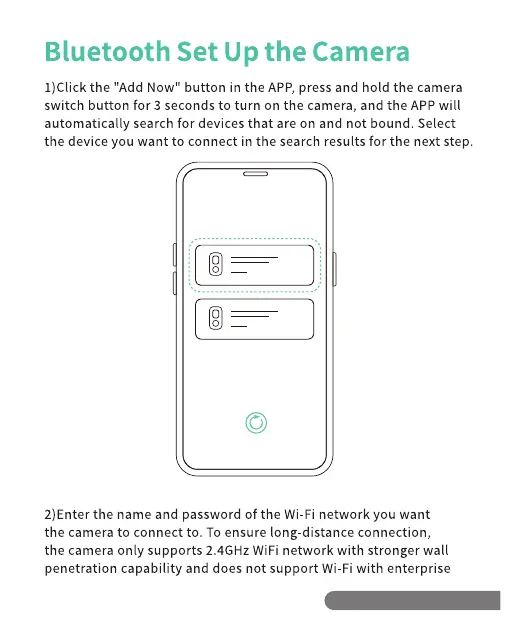
1)Click the "Add Now" button in the APP, press and hold the camera
switch button for 3 seconds to turn on the camera, and the APP will
automatically search for devices that are on and not bound. Select
the device you want to connect in the search results for the next step.
O
2)Enter the name and password of the Wi-Fi network you want
the camera to connect to. To ensure long distance connection,
the camera only supports 2.4GHz WiFi network with stronger wall
penetration capability and does not support Wi-Fi with enterprise
Hotline: +1313-380-6888


 To Next Page