Support email: pmg-aftersale@outlook.com
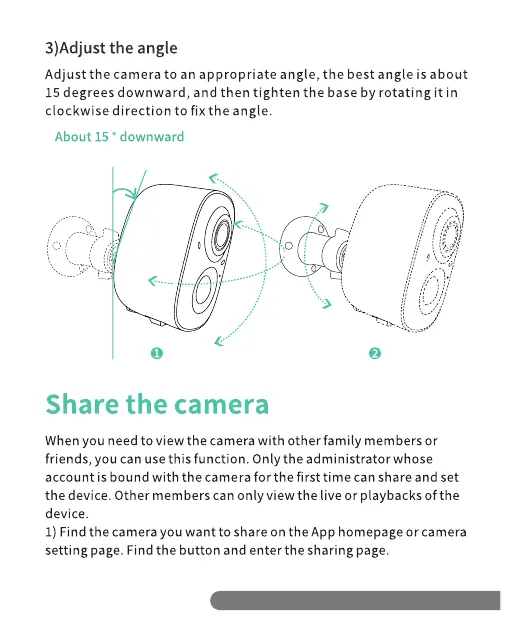
3)Adjust the angle
Adjust the camera to an appropriate angle, the best angle is about
15 degrees downward, and then tighten the base by rotating it in
clockwise direction to fix the angle.
About 15 0 downward
o
Share the camera
When you need to view the camera with other family members or
friends, you can use this function. Only the administrator whose
account is bound with the camera for the first time can share and set
the device. Other members can only view the live or playbacks of the
device.
1) Find the camera you want to share on the App homepage or camera
setting page. Find the button and enter the sharing page.
Support email: pmg-aftersale@outlook.com


 To Next Page