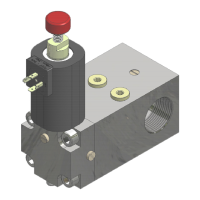
NGV A3 VALVE
INSTALLATION, USE AND MAINTENANCE
10991483 EN -1.10 - 26.05.2023
4.3 FAULT SIMULATION ON OUTPUT RDY AND RUN
The test verifies the correct behaviour of the control panel when it receives signals RUN and/or RDY not
corrects. It is possible to simulate the failure when the system is stopped a), or during a travel of the system
b). To perform the test, you must connect the programmer PT01 to the card NGV-A3 and continue
simulating faults as follow:
1. Select 9.7 RUN-RDY TEST and push ENT
2. Select using keys / : RUN always ON
3. a) Push ENT with the system stopped. The control panel must recognize the error to prevent any
movement of the system.
b) Make a call in up or down direction and push ENT during the travel. The control panel, after the
arrival at landing, after 2 sec, must recognize the error and to prevent any movement of the system.
4. At the end push ENT, Select using keys / : NO TEST and press ENT to restore the initial condition.
4.3.2 TEST RDY ALWAYS OFF
1. Select 9.7 RUN-RDY TEST and push ENT
2. Select using keys / : RDY always OFF
3. a) Push ENT with the system stopped and call the car in up or in down direction. The control panel must
recognize the error and to prevent any movement of the system.
b) Make a call in up or down direction and push ENT during the travel. The control panel, after the
arrival at landing, after 2 sec, must recognize the error and to prevent any movement of the system.
1. At the end push ENT, Select using keys / : NO TEST and press ENT to restore the initial condition
4.3.3 TEST RUN ALWAYS OFF
1. Select 9.7 RUN-RDY TEST and push ENT
2. Select using keys / : RUN always OFF
3. a) Push ENT with the system stopped and call the car in up or in down direction. The control panel, after
2 sec, must recognize the error and to prevent any movement of the system.
b) Make a call in up or down direction and push ENT during the travel. The control panel, after 2 sec,
must recognize the error, to stop the system and to prevent any further movement.
4. At the end push ENT, Select using keys / : NO TEST and press ENT to restore the initial condition.
1. Select 9.7 RUN-RDY TEST and push ENT
2. Select using keys / : RDY always ON
3. a) Push ENT with the system stopped and call the car in up or in down direction. The control panel, after
2 sec, must recognize the error and to prevent any movement of the system.
b) Make a call in up or down direction and push ENT during the travel. The control panel, after 2 sec,
must recognize the error and after the arrival at landing, to stop the system and to prevent any further
movement.
4. At the end push ENT, Select using keys / : NO TEST and press ENT to restore the initial condition
Before to exit 9.7 RUN-RDY TEST verify that NO TEST is set as parameter value.


 To Next Page
 Loading...