Contents [ hide
1 Welcome
2 Jabra Evolve2 40
overview
3 How to connect
4 How to wear
5 What the LEDs mean
6 How to use
7 Software and firmware
8 Support
9 File Downloads
10 References
11 Related Manuals
Welcome
Thank you for using the Jabra Evolve2 40. We hope you will enjoy it!
Jabra Evolve2 40 features
3-microphone call technology
Designed for all-day comfort
Built-in Busylight
40mm speaker for exceptional sound
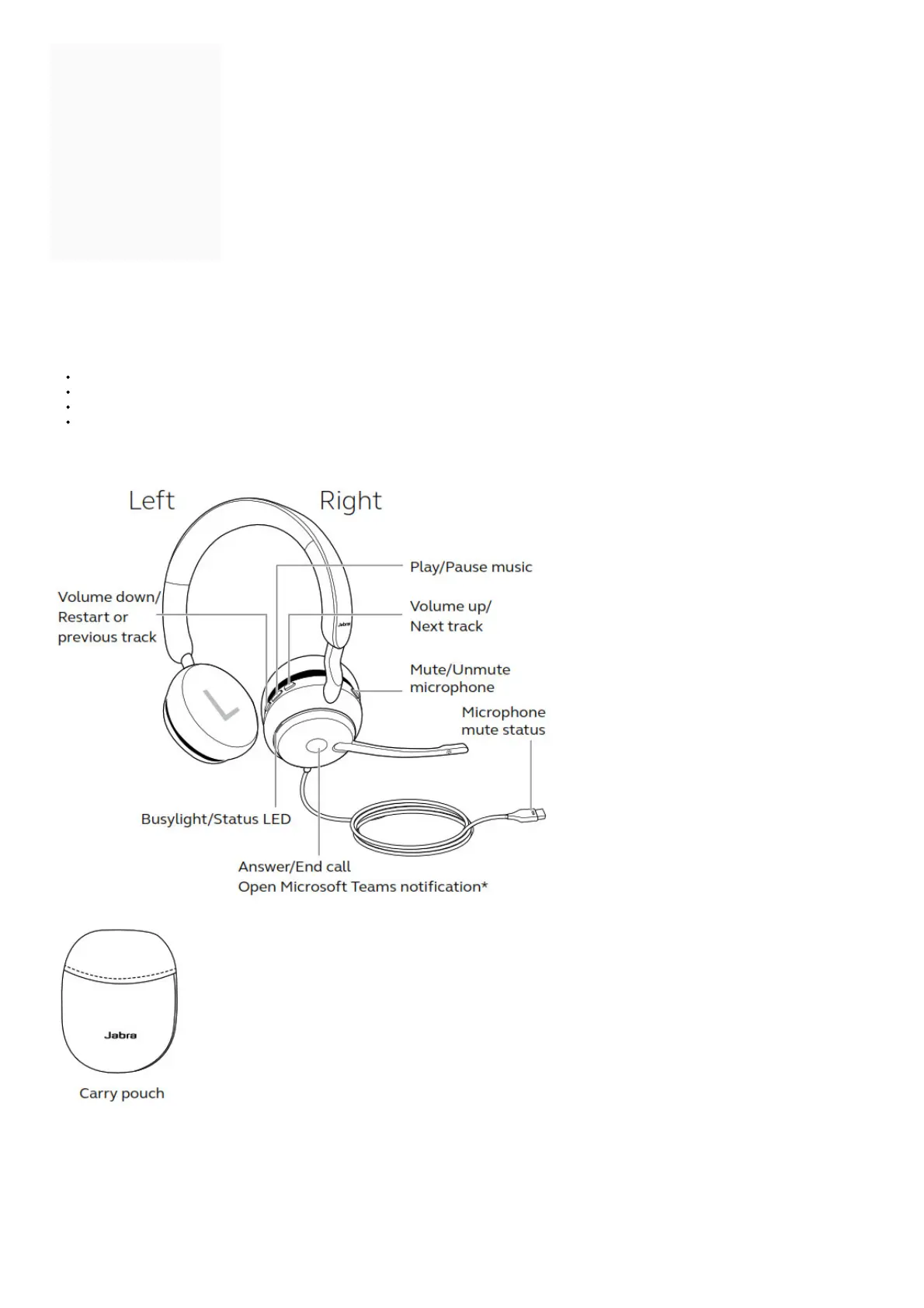
Jabra Evolve2 40 overview
2.1 Included accessories
How to connect
3.1 Connect to computer
Plug the Jabra Evolve2 40 into either a USB-A or USB-C port on your computer, depending on the USB variant of the headset.



 To Next Page