EasyManua.ls Logo

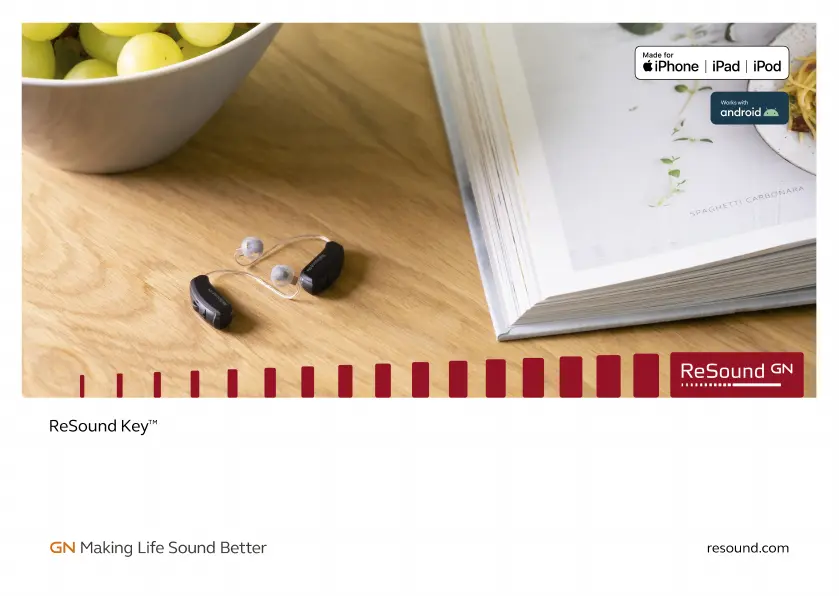
GN Hearing ReSound Key - User Manual

GN Hearing ReSound Key
88 pages
Print Icon
To Next Page IconTo Next Page
Loading...
User guide
ReSound Receiver-In-Ear hearing aids

Questions and Answers

Summary

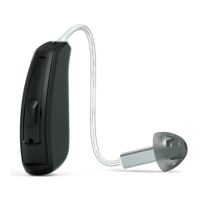
Your hearing aid

Zinc-Air battery model (62)

Details about the components of the Zinc-Air battery model (62) hearing aid.

Zinc-Air battery model (61)

Details about the components of the Zinc-Air battery model (61) hearing aid.

Preparing your hearing aids for use

Battery warnings

Important safety warnings regarding the handling and disposal of hearing aid batteries.

Inserting the battery into your hearing aid

Step-by-step instructions for inserting a new battery into the hearing aid.

Low battery warning

Information on how the hearing aid indicates a low battery status.

Low battery warning when paired with wireless accessories (optional)

How low battery is indicated when using wireless accessories.

Placing your hearing aids in your ears

How to tell left from right

Guidance on distinguishing between the left and right hearing aids.

Inserting the receiver dome into your ear

Instructions for correctly inserting the receiver dome into the ear canal.

Sport lock

Information and instructions on using the sport lock accessory.

Inserting earmoulds into your ears

Instructions for correctly inserting earmoulds into the ear canal.

Removing your hearing aids from your ears

Removing receiver domes from your ears

Instructions for safely removing receiver domes from the ear.

Removing earmoulds from your ears

Instructions for safely removing earmoulds from the ear.

Using your hearing aids

Turning your hearing aids on and off

Procedure for powering the hearing aids on and off by closing/opening the battery door.

Smart Start

Explanation of the delayed hearing aid activation feature.

The push button;multi-function button

Details on operating the hearing aid's push or multi-function button for program selection.

Telecoil

Information about the optional Telecoil function for improved speech understanding.

How to use the telecoil program

Steps for using the telecoil program with hearing loop systems.

Using a telephone

Mobile phones

Information on hearing aid compatibility and potential interference with mobile phones.

Phone Now (optional)

Description of the Phone Now feature for automatic program switching via magnet.

Phone Now warnings

Safety warnings related to the Phone Now feature and its magnetic components.

Phone Now precautions

Precautions to take when using the Phone Now feature to avoid signal loss or noise.

Placing the Phone Now magnet

Instructions for applying the Phone Now magnet to a telephone receiver.

How to use Phone Now

Steps and notes for activating and using the Phone Now feature.

Direct Audio Input

Connecting a DAI adapter

Step-by-step instructions for connecting a DAI adapter to the hearing aid.

Disconnecting a DAI adapter

Instructions for safely disconnecting a DAI adapter from the hearing aid.

Important points for FM

Key considerations and warnings for using FM systems with the hearing aids.

Advanced options

ReSound Assist and ReSound Assist Live (optional)

Details on remote hearing aid adjustment and live assistance services.

Using your hearing aid with smartphone apps (optional)

Instructions and notes for using smartphone applications with hearing aids.

Flight Mode (optional)

How to activate and deactivate Flight Mode for wireless communication.

Turning off wireless communication (enter Flight Mode)

Procedure to put the hearing aid into Flight Mode by cycling the battery door.

Activating wireless communication (exit Flight Mode)

Procedure to exit Flight Mode and reactivate wireless communication.

Wireless accessories

Cleaning and caring for your hearing aids

Care and maintenance

General advice on keeping hearing aids clean and prolonging their lifespan.

Daily maintenance

Daily cleaning routine and recommendations for drying kits.

Cleaning tools

List and description of tools used for cleaning hearing aids and earmoulds.

Changing your hearing aid domes

Instructions and recommendations for changing hearing aid domes.

Changing the wax filter

Instructions for changing the wax filter to maintain performance.

Tulip domes

Specific instructions for changing tulip domes on the hearing aid receiver.

Removing the old wax filter

Step-by-step guide to removing the old wax filter using the provided tool.

Inserting the new wax filter

Step-by-step guide to inserting a new wax filter using the provided tool.

General warnings and precautions

General warnings

Important warnings regarding potential risks and safety measures when using hearing aids.

General precautions

General precautions to ensure safe and proper use of hearing aids and accessories.

Warnings to Hearing Aid Dispensers (US only)

Important notice for prospective hearing aid users

Guidance for users regarding medical evaluation before purchasing a hearing aid.

Children with hearing loss

Advice for audiologist evaluation and rehabilitation for children with hearing loss.

Tinnitus Management

Tinnitus Sound Generator module

Introduction to the Tinnitus Sound Generator (TSG) module and its purpose.

Indications for use of the TSG module - (US only)

Specifies the target population and indications for the TSG module.

Description of the device

Description of the Tinnitus Sound Generator (TSG) Module.

Explanation of how the device works

Explanation of the TSG module's function as a white-noise generator.

TSG volume control

Details on the TSG module's volume control and adjustment options.

Using TSG with smartphone apps

How to control the tinnitus sound generator using smartphone applications.

TSG - Technical specifications

Technical specifications for the Tinnitus Sound Generator (TSG) module.

Prescription use of a Tinnitus Sound Generator hearing aid

Guidelines for prescription use of the TSG hearing aid to avoid hearing damage.

Important notice for prospective sound generator users

Notice for users considering the sound generator for tinnitus masking.

WARNING TO THE HEARING CARE PROFESSIONAL

Advisories for hearing care professionals regarding sound generator users.

CAUTION:

Cautions regarding maximum output levels and usage duration for the sound generator.

Tinnitus Sound Generator precautions

Precautions for users experiencing side effects or specific conditions while using the TSG.

Tinnitus Sound Generator warning to hearing care professionals

Warnings for hearing care professionals on advising users about sound generators.

CAUTION:

Cautions regarding maximum output levels and usage duration for the sound generator.

Regulatory information

Warranties and repairs

Information about the hearing aid warranty, repair process, and service contact.

Temperature test, transport and storage information

Guidelines for temperature limits during operation, transport, and storage.

Statement

FCC and ISED compliance statement and conditions for device operation.

The products are in compliance with the following regulatory requirements:

Details on product compliance with EU, US, Canada, and Japanese regulations.

Type designations

Hearing aid type designations and FCC/IC identification.

Hearing aid variants

Information on different variants of Receiver-in-the-ear hearing aids.

Mini Receiver In-the-Ear (RIE) hearing aids

Details on Mini Receiver In-the-Ear hearing aids, including FCC/IC and variants.

Symbols

Explanation of common symbols used in the hearing aid manual.

Technical specifications

RIE - LP receiver

Technical specifications for Receiver-in-the-ear, Low Power receivers.

RIE - MP receiver

Technical specifications for Receiver-in-the-ear, Medium Power receivers.

RIE - HP receiver

Technical specifications for Receiver-in-the-ear, High Power receivers.

RIE - UP receiver

Technical specifications for Receiver-in-the-ear, Ultra Power receivers.

Additional information

Acknowledgments

Information about software authorship and licensing terms.

GN Hearing ReSound Key Specifications

General IconGeneral
Sound ShapingYes
Technology PlatformKey
StylesBehind-the-ear (BTE)
Wireless ConnectivityBluetooth
Battery SizeSize 312
ProgramsMultiple programs
DirectionalityAdaptive directional microphone system