5
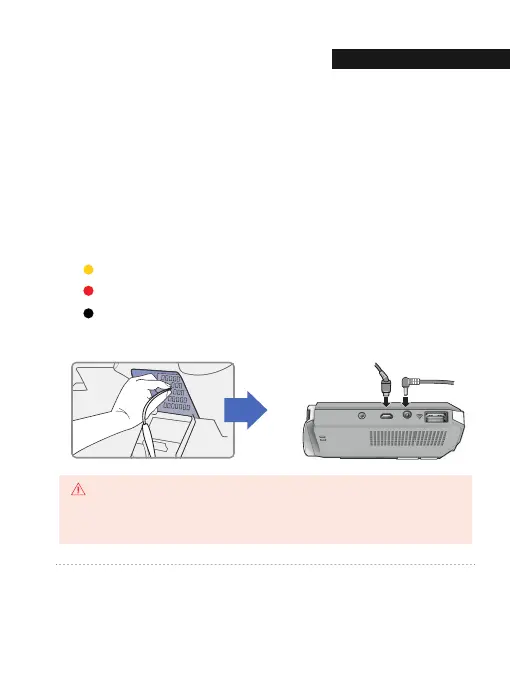
Connect the power cable to the fuse box terminal inside the vehicle.
(The connected terminal should be one which is always supplied power even
when ACC power is turned off, such as emergency lights and/ or door racks.)
Otherwise if using a cigar power cable, plug it directly into the vehicle cigar
socket.
6
Connect the other side of the power cable to the DC-IN labeled port of the
front camera.
3-Wire Power Cable
Connect VCC to current fuse at vehicle start-off
Connect ACC to a fuse that does not flow when the vehicle is switched off
Connect GND to ground on the vehicle’s body
Rear cable [CAM1] DC-IN
GNET strongly recommends having an experienced installer with the proper knowledge of
electrical systems install the device. Incorrectly wiring the power cable can result in damage
to the vehicle or the battery and can cause bodily injure.
CAUTION
01. BEFORE USE
INSTALLATI
10


 To Next Page
 Loading...



