7
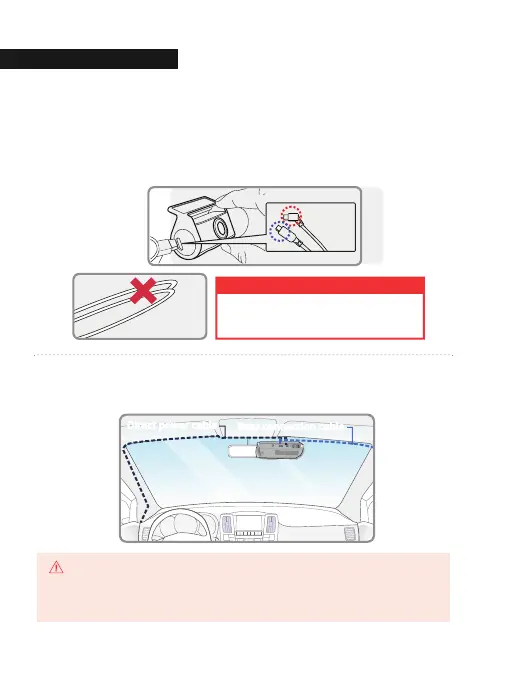
Attach the rear camera to the rear windshield of the vehicle and connect the
cable to the front camera.
8
Carefully tuck the power cable and rear camera connection cable into the
linings of the vehicle between the ceiling and glass.
* Front cam
(curved cable)
* Rear cam
(straight cable)
When the cable is bent as shown in the picture, the
data flow may be interrupted and a recording error
may occur. Please be careful.
WARNING
Direct power cable
Rear connection cable
GNET strongly recommends having an experienced installer with the proper knowledge of
electrical systems install the device. Incorrectly wiring the power cable can result in damage
to the vehicle or the battery and can cause bodily injure.
CAUTION
01. BEFORE USE
INSTALLATI
11


 To Next Page
 Loading...



