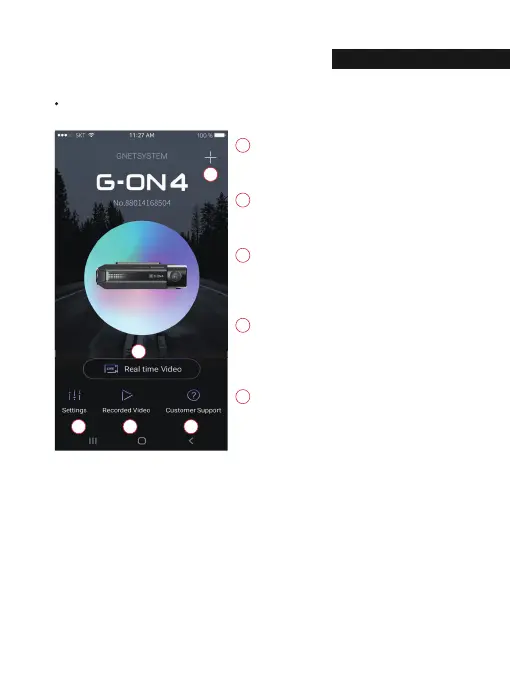
APP Main Screen Description
This function allows you to connect other dash
cams or delete the registered devices.
※ Supported only on Android mobile
Real-Time Video
Select this button to view a live video feed from
the dash camera.
Settings
You can easily toggle camera settings via your
smartphone. When finished, select the “Save”
button to reboot the system.
Recorded Video
View previously recorded video from the
camera’s SD card. Video can be downloaded
directly onto the smartphone.
Customer Support
If you need product support, select this button
to go to the Customer Support Center.
03. APPLICATION
MARTPH
NE C
NNECTI
32



 To Next Page