Quick Operation Guide of Network Video Recorder
6
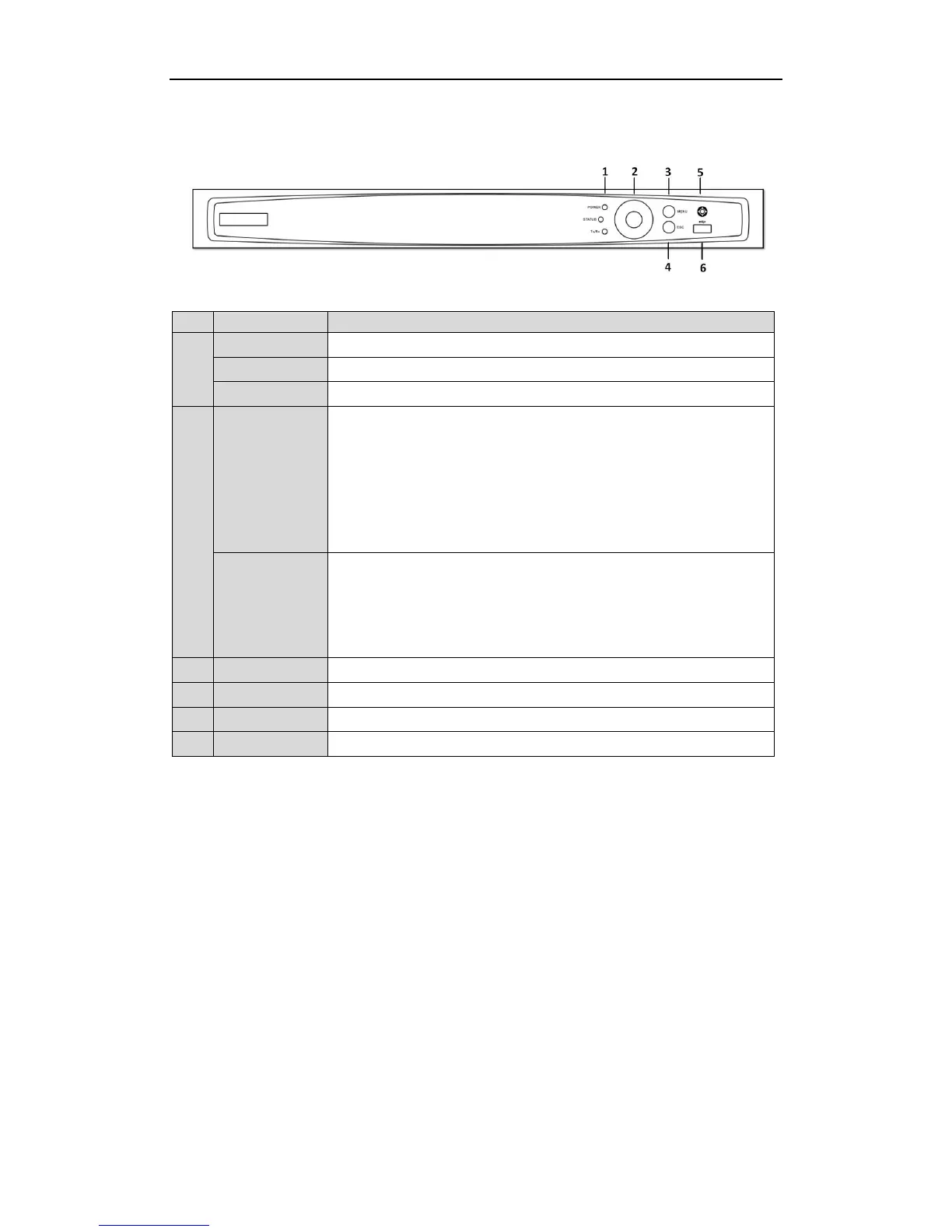
Front Panel
POWER indicator turns green when DVR is powered up.
STATUS indicator lights in red when data is being read from or written to HDD.
Tx/Rx indictor blinks green when network connection is functioning properly.
The DIRECTION buttons are used to navigate between different fields and items
in menus.
In the Playback mode, the Up and Down button is used to speed up and slow
down recorded video. The Left and Right button will select the next and previous
record files.
In Live View mode, these buttons can be used to cycle through channels.
In PTZ control mode, it can control the movement of the PTZ camera.
The ENTER button is used to confirm selection in any of the menu modes.
It can also be used to tick checkbox fields.
In Playback mode, it can be used to play or pause the video.
In single-frame Playback mode, pressing the button will advance the video by a
single frame.
Access the main menu interface.
Exit and back to the previous menu.
Connects USB mouse or USB flash memory devices.



 To Next Page