f
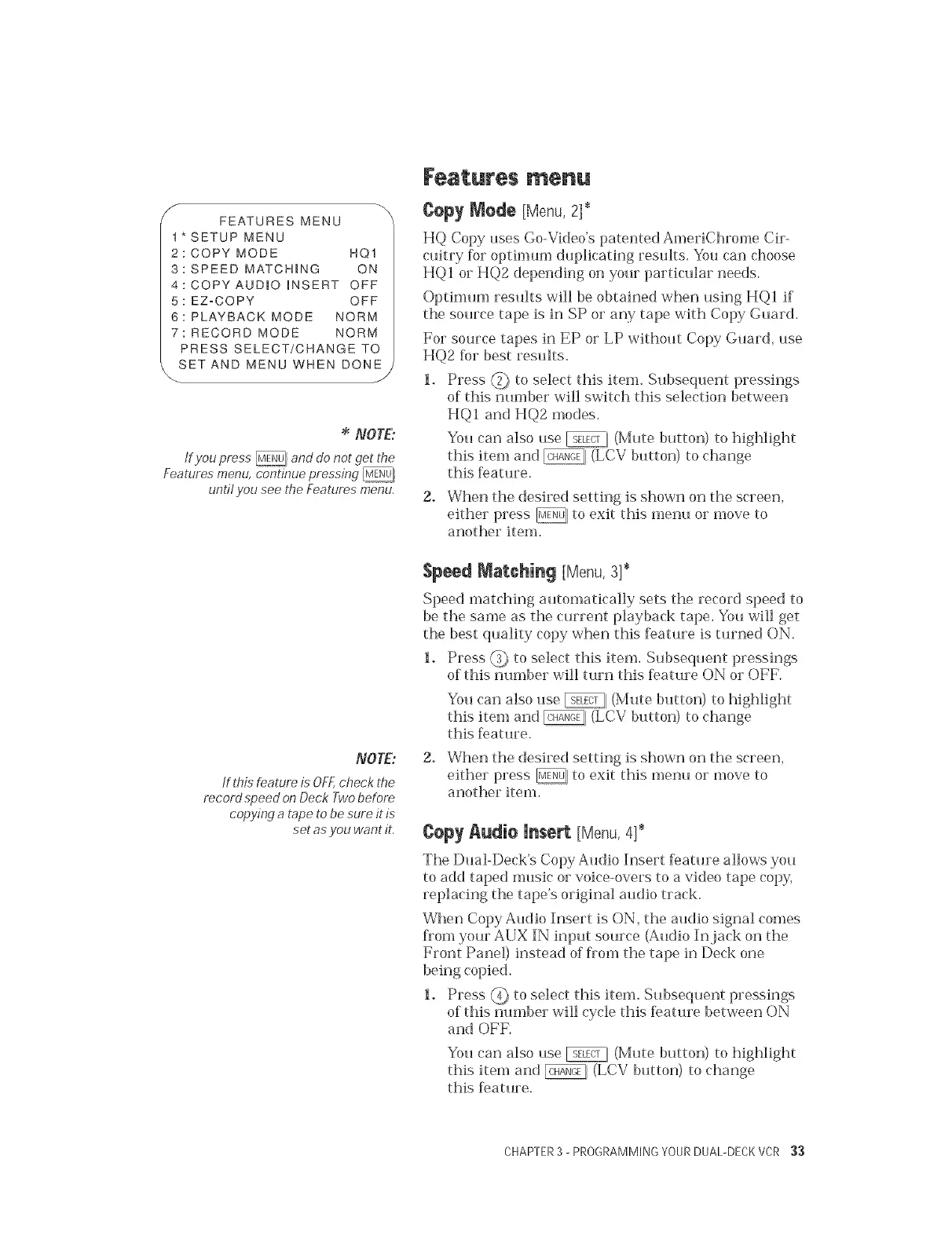
FEATURES MENU
t* SETUP MENU
2: COPY MODE HQ1
3: SPEED MATCHING ON
4: COPYAUD_O iNSERT OFF
5: EZ=COPY OFF
6: PLAYBACK MODE NORM
7: RECORD MODE NORM
PRESS SELECT/CHANGE TO
SET AND MENU WHEN DONE
NOTE:
lf you press @ and do not get the
Features menu, continue pressing
until you see the Features menu.
NOTE:
tf t,bis feature is OFF,check the
record speed on Deck Two before
copying a tape to be sure it is
set as .you want it.
Features menu
Cepy Mede [Menu, 2]*
HQ Copy uses Go-Video's patented AmeriChrome Cir-
cuitry fi)r optimum duplicating resuks. You can choose
HQI or HQ2 depending on yourparticular needs.
Optimum results will be obtained when using HQI if
the source tape is in SP or any tape with Copy Guard.
For source tapes in EP or LP without Copy Guard, use
HQ2 for best results.
1. Press _ to select this item. Subsequent pressings
of this number will switch this selection between
HQI and HQ2 modes.
You can also use _ (Mute button) to highlight
this item and _ (LCV button) to change
this f>ature.
2. When the desired setting is shown on the screen,
eitherpress _, to exit this mem_ or move to
another item.
Speed Matching [Menu, 3]*
Speed matching automatically sets the record speed to
be the same as the current playback tape. You will get
the best quality copy when this f>ature is turned ON.
1. Press _ to select this item. Subsequent pressings
of this number will turn this f>ature ON or OFF.
You can also use _ (Mute button) to highlight
this item and @, (LCV button) to change
this feature.
2. When the desired setting is shown on the screen,
either press _] to exit this menu or move to
another item.
¢epy Audio insert [Menu,4]*
The Dual-Deck's Copy Audio Insert leature allows you
to add taped music or voice-overs to a video tape copy,
replacing the tape's original audio track.
When Copy Audio Insert is ON, the audio signal comes
fiom your AUX IN input sotJrce (Audio In jack on the
Front Panel) instead of fiom the tape in Deck one
being copied.
1. Press _ to select this item. Subsequent pressings
of this nmnber will cycle this f>ature between ON
and OFK
You can also use _ (Mute button) to highlight
this item and @ (LCV button) to change
this feature.
CHAPTER3 - PROGRAMMING YOURDUAL-DECKVCR 33


 To Next Page
 Loading...