TIP:
tf you are not getting a good picture,
try changing the switch on the back of
the VCR to CH 4 and then changing
.your TV to channel 4. tf you have a
local channel 3, channel 4 might
work better tor you.
TIP:
tf you don't see a menu, look on
t,be front panel display to see if the
VCR indicator is fiL lf it_ not tit,
press the TWVCR key on.your remote
control to enter VCR mode.
4.
Attach the cable fiom your antenna or cable TV
service to the ANT IN connection on the back of
your VCR. (Kyou have a cable converter box, refer
to page 43. If you antenna cable is twin-lead, you
will need to purchase an adapter, available at your
local electronics store.
Make sure the switch on the back of the VCR is set
to 3.
5. Turn on the power for your VCR and your TV.
6. Turn your TV to channel 3.
7. Press the MENU key on your VCR remote control.
You should see a menu. Set the language, date and
time now. See page 15. Press MENU again to exit
the menu.
8. Use the number keys on your remote control to
change to a channel (below 13) in your area. You
should be getting a picture.
9. Refer to page 17 on programming your local TV
channels into memory.
or
Coaxial I_ %
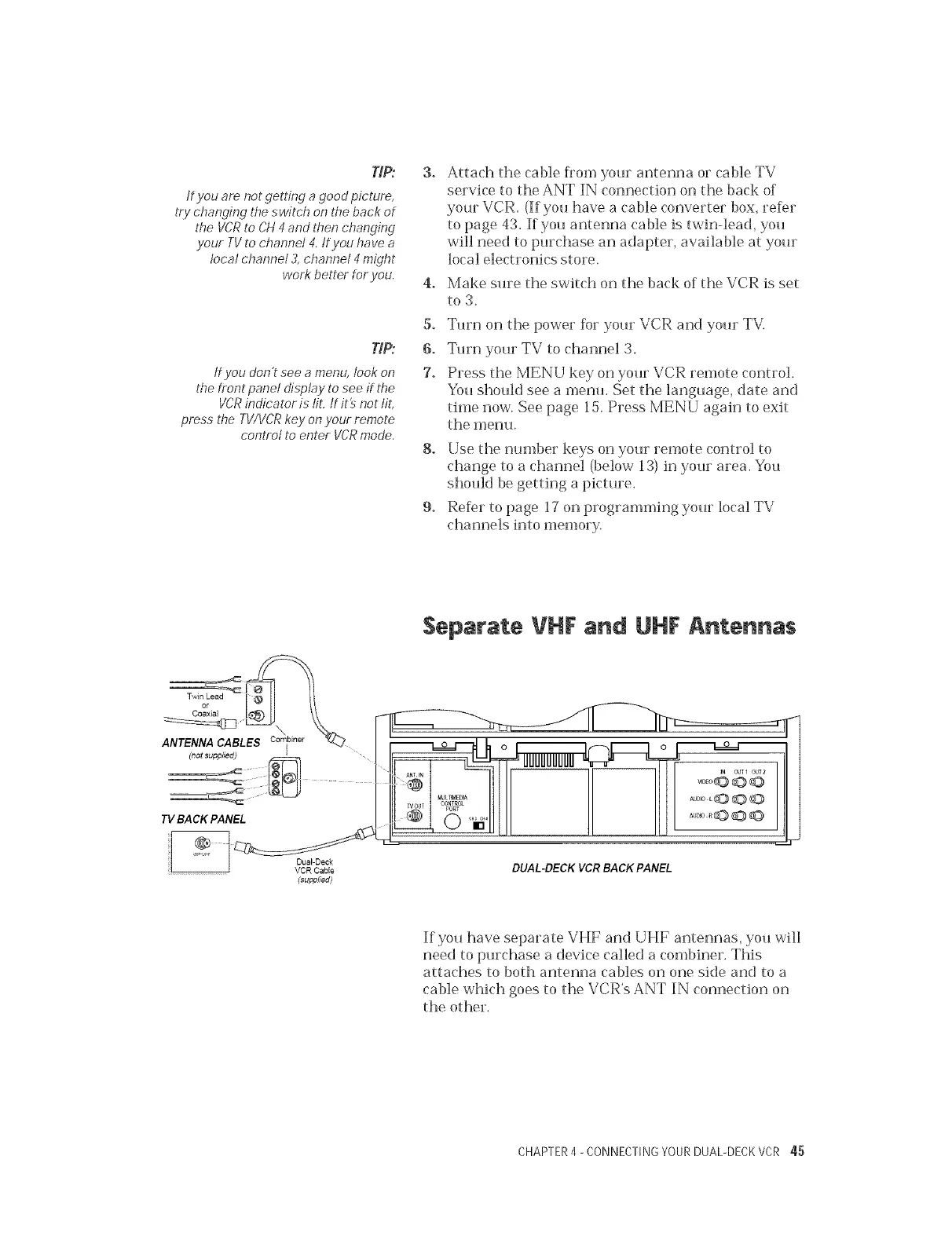
ANTENNA CABL biner
(not supplied)
I
TV BACK PANEL
VCR CaNe
(supplied)
Separate VHF and UHF Antennas
III II
",ul II lu' 2
DUAL-DECK VCR BACK PANEL
If you have separate VHF and UHF antennas, you will
need to purchase a device called a combiner. This
attaches to both antenna cables on one side and to a
cable which goes to the VCR's ANT IN connection on
the other.
CHAPTER4 - CONNECTINGYOURDUAL-DECKVCR 45


 To Next Page