Need help?
Do you have a question about the GOAL ZERO Lighthouse 600 and is the answer not in the manual?
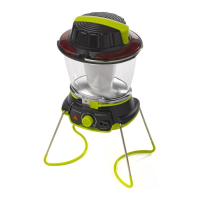
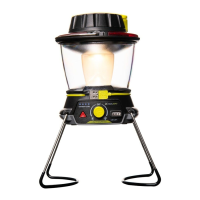
Attach the Lighthouse 600 anywhere with its built-in hanger.
Charge via USB, dynamo crank, or Goal Zero solar panels.
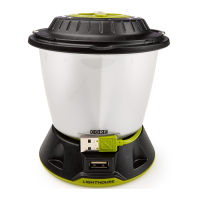
Use the USB port to recharge phones or boost tablets.
Features directional and emergency lighting options.
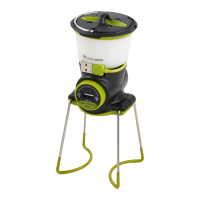
Utilize foldaway legs for easy transport and storage.
How to use the hand crank to recharge the lantern and generate light.
Powering the lantern via USB and understanding battery level indicators.
Adjusting the knob for different lighting directions and brightness.
Activating the red emergency alert mode via the triangle button.
Using the USB port to charge smartphones and tablets.
Recommended charging intervals and how to check battery level.
Clarification on whether hand crank direction affects power generation.
Time required to charge and duration of light provided by the lantern.
Battery chemistry, capacity, LED output, lumens, and color temperature.
Hand crank performance and USB port capabilities (input/output).
Weight, dimensions, operating temperature, certifications, and warranty.
The Lighthouse 600 is a versatile lantern and USB power hub designed for various lighting and charging needs, making it suitable for camping, emergencies, or general outdoor use. Its primary function is to provide illumination and act as a power source for small electronic devices.
The Lighthouse 600 serves as a powerful LED lantern, offering multiple lighting options to suit different situations. It features two 5W warm white LEDs that can provide up to 600 lumens of light. Users can choose between lighting one side or both sides of the lantern, allowing for directional lighting or a full 360-degree spread. The brightness is adjustable, enabling users to conserve power when maximum light is not required. For emergencies, the lantern includes a red emergency alert mode, activated by a dedicated triangle button, which can be crucial for signaling or attracting attention.
Beyond its lighting capabilities, the Lighthouse 600 functions as a USB power hub. It is equipped with a USB output port that allows users to recharge smartphones or provide a boost to tablets. This feature transforms the lantern into a practical portable power bank, ensuring essential devices remain operational even when off-grid.
The Lighthouse 600 is designed with user convenience and portability in mind. It incorporates a built-in hanger, allowing it to be easily suspended in tents, on branches, or in other elevated positions for optimal light distribution. For stable placement on flat surfaces, the lantern features convenient foldaway legs. These legs can be extended for use and then neatly folded away for compact transport and hassle-free storage, enhancing its portability.
Charging the Lighthouse 600 itself is flexible, offering multiple methods. It can be recharged via any standard USB port using its integrated cord, making it compatible with various power sources like wall adapters, car chargers, or other power banks. A unique and highly practical feature is its dynamo crank. In situations where external power sources are unavailable, users can manually crank the handle to generate power. Just one minute of cranking can provide approximately ten minutes of light on low power, offering a reliable backup charging method. Additionally, the Lighthouse 600 is compatible with Goal Zero solar panels, allowing for eco-friendly recharging using solar energy.
The lantern's lighting controls are intuitive. A single knob allows users to easily switch between different directional lighting modes (one side or both sides) and adjust the brightness levels. This dual-functionality of the knob simplifies operation and provides precise control over the light output. Blue LED indicators are integrated to display the current battery level, keeping users informed about the remaining power and when a recharge is needed.
To ensure optimal performance and longevity, the Lighthouse 600 includes several maintenance-related features and recommendations. The device is equipped with built-in charging and low-battery protection, which helps prevent overcharging or deep discharge, thereby extending the battery's lifespan.
For long-term storage, it is recommended to charge the Lighthouse 600 lantern every three months. This regular charging helps maintain the health of the Li-ion NMC battery and prevents it from falling into a deep discharge state, which could reduce its overall capacity and lifespan. The blue LED battery indicators serve as a visual cue for monitoring the battery level, making it easy to know when a charge is due.
The hand crank mechanism is designed for ease of use and does not require specific directional cranking; it generates power regardless of the rotation direction. This simplifies emergency recharging and reduces the chance of user error. The robust design, including foldaway legs, also contributes to its durability during transport and storage, minimizing potential damage.
Overall, the Lighthouse 600 is a robust, multi-functional device that combines powerful illumination with essential portable charging capabilities, all while offering flexible recharging options and user-friendly maintenance guidelines.
 General
| Brightness | 600 Lumens |
|---|---|
| Light Source | LED |
| Runtime (Low) | 48 hours |
| Light Modes | High, Medium, Low, SOS |
| Charging Options | Solar, USB |
| Water Resistance | IPX4 |

 To Next Page