EasyManua.ls Logo

Goalzero Lighthouse 400 - User Manual

Goalzero Lighthouse 400
22 pages
Print Icon
To Next Page IconTo Next Page
Loading...
1
Question and Answer IconNeed help?

Do you have a question about the Goalzero Lighthouse 400 and is the answer not in the manual?

Summary

Frequently Asked Questions

How often do I need to charge the Lighthouse 400?

Recommended to charge every 3 months. Blue LED lights indicate battery level.

Does it matter what direction I turn the hand crank?

Crank in either direction for power. 1 minute equals 10 minutes of light on low.

Demo Mode Operation

Exit Demo Mode

Take Lighthouse 400 out of demo mode by quickly turning the hand crank three times.

Charge From Sources

Compatible Charging Products

Lists Goal Zero products for charging: Nomad Solar Panels, Sherpa Power Packs, Yeti Solar Generators.

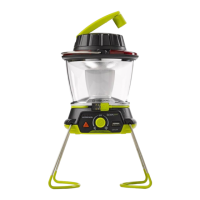
Get To Know Your Gear

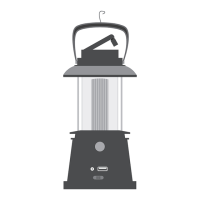
Hang It

Put the Lighthouse 400 anywhere with the built-in hanger.

Charge It

Charge through any USB port, dynamo crank, or Goal Zero solar panels.

Power It

Use the USB port to recharge a phone or boost a tablet.

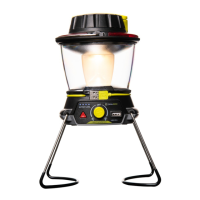
Light It

Multiple brightness and directional lighting options. Red light for emergencies.

Stand It

Convenient foldaway legs for easy transport and hassle-free storage.

How It Works

Dynamo Crank Function

Flip crank handle up and rotate. 1 minute cranking equals 10 minutes light on low.

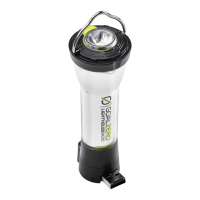
USB Rechargeable Light

Power up from any USB port with built-in cord. Blue LED lights indicate battery level.

Dualite Directional Lighting

Turn knob right or left for different directional lighting and brightness options.

Emergency Light Mode

Push triangle button for red, emergency alert mode.

Power Your Gear

Recharge smartphones and boost tablets through the USB port.

Technical Specifications

Charge Times

Lists charge times for Nomad 7 (7-14 hrs) and USB Source (5 hrs).

Run Times

Lists run times for One Side Lit (low/high) and Both Sides Lit (low/high).

Battery Specifications

Details cell chemistry, capacity, lifecycles, shelf-life, fuses, and management system.

Light Specifications

Details LED output (lumens) and color temperature.

Hand Crank Specifications

Specifies power output and crank-to-light ratio.

Port Specifications

Details USB port input and output specifications.

General Specifications

Includes chainability, weight, dimensions, operating temperature, certifications, and warranty.

Company Information

Goal Zero Headquarters Contact

Provides the address, phone number, and design/manufacturing origin.

FCC Compliance Statement

Explains FCC rules compliance for digital devices and potential interference mitigation.

Summary

Frequently Asked Questions

How often do I need to charge the Lighthouse 400?

Recommended to charge every 3 months. Blue LED lights indicate battery level.

Does it matter what direction I turn the hand crank?

Crank in either direction for power. 1 minute equals 10 minutes of light on low.

Demo Mode Operation

Exit Demo Mode

Take Lighthouse 400 out of demo mode by quickly turning the hand crank three times.

Charge From Sources

Compatible Charging Products

Lists Goal Zero products for charging: Nomad Solar Panels, Sherpa Power Packs, Yeti Solar Generators.

Get To Know Your Gear

Hang It

Put the Lighthouse 400 anywhere with the built-in hanger.

Charge It

Charge through any USB port, dynamo crank, or Goal Zero solar panels.

Power It

Use the USB port to recharge a phone or boost a tablet.

Light It

Multiple brightness and directional lighting options. Red light for emergencies.

Stand It

Convenient foldaway legs for easy transport and hassle-free storage.

How It Works

Dynamo Crank Function

Flip crank handle up and rotate. 1 minute cranking equals 10 minutes light on low.

USB Rechargeable Light

Power up from any USB port with built-in cord. Blue LED lights indicate battery level.

Dualite Directional Lighting

Turn knob right or left for different directional lighting and brightness options.

Emergency Light Mode

Push triangle button for red, emergency alert mode.

Power Your Gear

Recharge smartphones and boost tablets through the USB port.

Technical Specifications

Charge Times

Lists charge times for Nomad 7 (7-14 hrs) and USB Source (5 hrs).

Run Times

Lists run times for One Side Lit (low/high) and Both Sides Lit (low/high).

Battery Specifications

Details cell chemistry, capacity, lifecycles, shelf-life, fuses, and management system.

Light Specifications

Details LED output (lumens) and color temperature.

Hand Crank Specifications

Specifies power output and crank-to-light ratio.

Port Specifications

Details USB port input and output specifications.

General Specifications

Includes chainability, weight, dimensions, operating temperature, certifications, and warranty.

Company Information

Goal Zero Headquarters Contact

Provides the address, phone number, and design/manufacturing origin.

FCC Compliance Statement

Explains FCC rules compliance for digital devices and potential interference mitigation.

Goalzero Lighthouse 400 Specifications

General IconGeneral
Brightness400 Lumens
Light SourceLED
Run Time (low)48 hours
Charging Time (USB)8 hours
USB Output5V/2.1A
USB Input5V, 2A

Related product manuals