How
to
use your
gear
Power
switch
0
Turn
to
bn
'
to
enable output; turn to the
-:
r:
to
turn on flashlight. See
legend below.
Power LED
Indicates power and charging state. See power legend below.
e
USB
output
port
Accepts
any standard USB cable
for
charging USB
dev
ices.
To
use,
turn
GUIDE
10
PLUS
to
'on:
0 LED
Flashlight
100+
hours
of
light per charge. Turn
on
with power switch.
0 Solar
charging
port
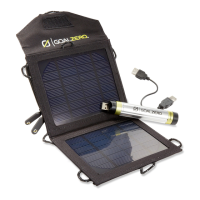
Recharge from GOAL ZERO Nomad 7
or
Nomad 3 .5
so
lar panels.
0 Mini-USB
charging
port
Recharge from
USB
sources, like a computer.
GUIDE
10
PLUS power legend:
WHEN CHARGING
FROM
NOMAD
3.5
WHEN CHARGING
FROM
NOMAD
7
WHEN IN
USE
Q -"
OFF
" -
USB
Out
ut
disabled.
I -"
ON
" -
USB
Output
ON
.
RED
BLINKING SLOW
RED
BLINKING SOLID
GREEN
of"': _"LIGHT" -
LED
Light Is ON.
~~~~O~-S~O~%~o~b=:::::::!)=-l
-
~=====-t
-USB
output
Disabled.
t-
r-
-Store
In "
OFF
" position.
SOUDORANGE
~
GREEN
BLINKING SLOW
GREEN
BUNKING
-~
FAST
GREEN
BLINKING
SOLID
RED
Fl
~i2~l!Pl~~-Ef~)
80-100%~·
t-r3~Hr.U~EX~P~E~Dii==--l
CHARGE
TIMES
IN GOOD
SUN
8
HOURS
EXPECTED
CHARGE
TIMES
FROM
USB
- Charges in any switch position.



 To Next Page